

Open in MS Edge™
40 個評分
)

總覽
Send the current page's link or all open tabs to the Microsoft Edge browser, or set optional rules for opening with a left-click.
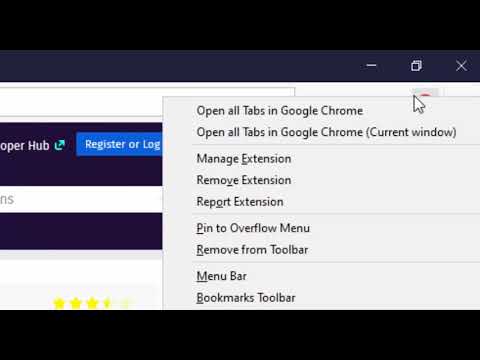
You can send HTML links to Microsoft's Edge browser with a single click. The extension includes a browser action button that, when activated, sends the URL from the active tab to the Edge browser. Optionally, you can instruct the extension to close the tab once the URL transfer is complete. It's important to note that, like similar extensions, this one requires a native component (macOS, Windows, and Linux) for communication with the external browser. Additionally, the extension enhances your productivity by adding a context menu option for links, allowing you to send them to the Edge browser with a simple right-click. To configure the extension to your needs, head to the options page and specify which hostnames should open in the Edge browser. Since the extension use a native component, it can initiate a new instance if it detects no open Edge windows. This component has a built-in tool to help you locate the Edge executable. The extension provides several context menu items within the browser action button, enabling you to send all tabs within the current window or across all windows to the Edge browser. Also, it has two context menu items for link and text selection. It will extract links from selection area and open links in the Edge browser. --- Legal Disclaimer Please be aware that 'Edge' is a registered trademark of Microsoft Inc. in the United States and other countries. This extension is an independent project and is not affiliated with the Edge team or Microsoft Inc. in any way.
3.9 分 (滿分 5 分)40 個評分
詳細資料
- 版本0.3.4
- 已更新2024年12月15日
- 提供者rynu.smith
- 大小223KiB
- 語言11 種語言
- 開發人員
電子郵件
rynu.smith@gmail.com - 非交易商這位開發人員並未表明自己是交易商。歐盟地區的消費者請注意,消費者權利不適用於你和這位開發人員之間簽訂的合約。
隱私權

這位開發者就你的資料做出下列聲明:
- 除經核准的用途外,不會將你的資料販售給第三方
- 不會基於與商品核心功能無關的目的,使用或轉移資料
- 不會為了確認信用度或基於貸款目的,使用或轉移資料
支援
如有疑問或建議,請前往開發人員的支援網站