

Open in MS Edge™
40 beoordelingen
)

Overzicht
Stuur de link van de huidige pagina of alle tabbladen naar Microsoft Edge, of stel regels in voor openen met de linker muisknop.
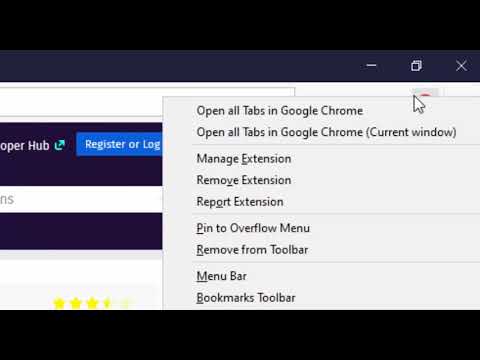
With this extension, you can send HTML links to the Microsoft's Edge browser with a single click. The extension adds a browser action button which when called, sends the URL of the active tab to the Edge browser. You can optionally ask the extension to close the tab when the transfer of the URL completes. Note that similar to any other extensions of the same kind. this one needs a native wrapper to communicate with the external browser. The extension also adds a context menu item for links so that you can send links to the Edge browser with a right-click. To improve your productivity, the extension also includes an option to send links with a left-click. You need to configure the extension from the options page so that it knows which hostnames need to be opened in the Edge browser. Since the extension uses a native client, it can open a new instance if no open Edge windows are detected. Also, it has a built-in tool to find the Edge executable for you. The extension also adds a few context menu items to the browser action button to send all tabs in the current window or all tabs from all windows to the Edge browser. --- Legal Edge is a trademark of Microsoft Inc., registered in the U.S. and other countries. This extension is an independent project and has no relationship to the Edge team or Microsoft Inc.
3,9 van 540 beoordelingen
Details
- Versie0.3.4
- Geüpdatet15 december 2024
- Aangeboden doorrynu.smith
- Grootte223KiB
- Talen11 talen
- Ontwikkelaar
E-mail
rynu.smith@gmail.com - Geen handelaarDeze ontwikkelaar heeft zichzelf niet geïdentificeerd als handelaar. Voor consumenten in de Europese Unie geldt dat consumentenrechten niet van toepassing zijn op contracten tussen jou en deze ontwikkelaar.
Privacy

Deze ontwikkelaar verklaart dat je gegevens:
- Niet worden verkocht aan derden, behalve voor de goedgekeurde toepassingen
- Niet worden gebruikt of overgedragen voor doeleinden die niet zijn gerelateerd aan de kernfunctionaliteit van het item
- Niet worden gebruikt of overgedragen om de kredietwaardigheid te bepalen of voor doeleinden met betrekking tot leningen
Support
Ga naar de supportsite van de ontwikkelaar voor hulp bij vragen, suggesties of problemen