

Open in MS Edge™
40 bedømmelser
)

Oversigt
Send the current page's link or all open tabs to the Microsoft Edge browser, or set optional rules for opening with a left-click.
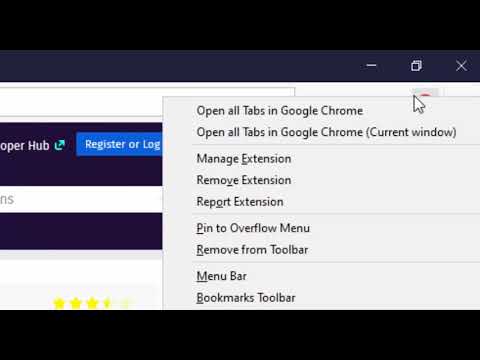
You can send HTML links to Microsoft's Edge browser with a single click. The extension includes a browser action button that, when activated, sends the URL from the active tab to the Edge browser. Optionally, you can instruct the extension to close the tab once the URL transfer is complete. It's important to note that, like similar extensions, this one requires a native component (macOS, Windows, and Linux) for communication with the external browser. Additionally, the extension enhances your productivity by adding a context menu option for links, allowing you to send them to the Edge browser with a simple right-click. To configure the extension to your needs, head to the options page and specify which hostnames should open in the Edge browser. Since the extension use a native component, it can initiate a new instance if it detects no open Edge windows. This component has a built-in tool to help you locate the Edge executable. The extension provides several context menu items within the browser action button, enabling you to send all tabs within the current window or across all windows to the Edge browser. Also, it has two context menu items for link and text selection. It will extract links from selection area and open links in the Edge browser. --- Legal Disclaimer Please be aware that 'Edge' is a registered trademark of Microsoft Inc. in the United States and other countries. This extension is an independent project and is not affiliated with the Edge team or Microsoft Inc. in any way.
3,9 ud af 540 bedømmelser
Oplysninger
- Version0.3.4
- Opdateret15. december 2024
- Udbydes afrynu.smith
- Størrelse223KiB
- Sprog11 sprog
- Udvikler
Mail
rynu.smith@gmail.com - Ikke forhandlerDenne udgiver har ikke angivet sig selv om forhandler. Hvis du er kunde i EU, skal du være opmærksom på, at forbrugerrettighederne ikke gælder for kontrakter, der indgås mellem dig og denne udgiver.
Privatliv

Denne udvikler bekræfter, at dine data:
- Ikke sælges til tredjeparter uden et godkendt anvendelsesformål
- Ikke anvendes eller overføres til formål, der ikke er relevante i forhold til elementets hovedformål
- Ikke anvendes eller overføres til at fastlægge kreditværdighed eller lånerelaterede formål
Support
Du kan få hjælp, hvis du har spørgsmål, forslag eller problemer, ved at gå til udviklerens supportwebsite