

Open in Chromium Browser
13 件の評価
)
概要
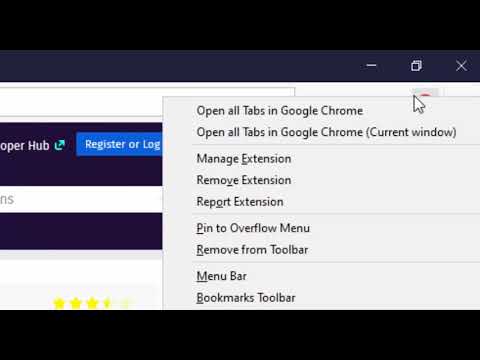
Open the current tab or all tabs in Chromium browser or send links to Chromium from right-click context menu.
Open in Chromium extension opens the current tab or all tabs in Google's Chromium browser. This is useful to transfer links across browsers without manual copy and paste. Notes: 1. In case a Chromium window is opened, the link is opened in a new browser tab 2. If Chromium is not opened, a new Chromium window gets opened. 3. To open links in the Chromium browser, you will need to install a native client. 4. The instruction to install the native client is displayed once a link opening is requested. 5. At this point, the native client supports the following operating systems: a. Windows b. Mac c. Linux 6. The native client does NOT support Chromium OS. 7. On Windows and Linux, you need to set the Chromium path on the options page for the extension to find the Chromium browser 8. Some preferences of this extension can be configured by the domain administrator (managed storage) 9. This extension can send links on left-click, a combination of the left-click and a keyboard meta key, and top-level navigation --- Legal Chromium is a trademark of Google Inc., registered in the U.S. and other countries. This extension is an independent project and has no relationship to the Chromium team or Google Inc.
5 点満点で 4.213 件の評価
詳細
- バージョン0.2.4
- 更新:2025年10月7日
- 提供元lunu.bounir
- サイズ113KiB
- 言語English
- デベロッパー
メール
lunu.bounir@gmail.com - 非取引業者このデベロッパーは取引業者として申告していません。EU 加盟国の消費者とこのデベロッパーとの間に締結された契約には、消費者の権利が適用されません。
プライバシー

このデベロッパーは、お客様のデータについて以下を宣言しています
- 承認されている以外の用途で第三者に販売しないこと
- アイテムの中心機能と関係のない目的で使用または転送しないこと
- 信用力を判断する目的または融資目的で使用または転送しないこと
サポート
質問や提案、問題がある場合は、デベロッパーのサポートサイトにアクセスしてください。