

Open in Chromium Browser
۱۳ ردهبندی
)
نمای کلی
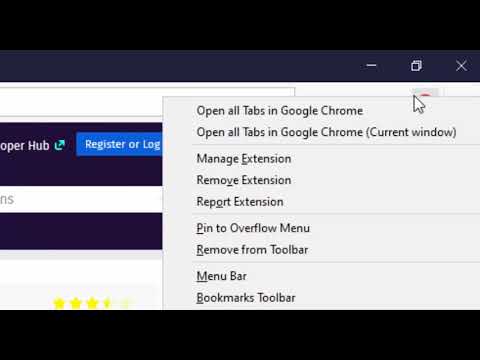
Open the current tab or all tabs in Chromium browser or send links to Chromium from right-click context menu.
Open in Chromium extension opens the current tab or all tabs in Google's Chromium browser. This is useful to transfer links across browsers without manual copy and paste. Notes: 1. In case a Chromium window is opened, the link is opened in a new browser tab 2. If Chromium is not opened, a new Chromium window gets opened. 3. To open links in the Chromium browser, you will need to install a native client. 4. The instruction to install the native client is displayed once a link opening is requested. 5. At this point, the native client supports the following operating systems: a. Windows b. Mac c. Linux 6. The native client does NOT support Chromium OS. 7. On Windows and Linux, you need to set the Chromium path on the options page for the extension to find the Chromium browser 8. Some preferences of this extension can be configured by the domain administrator (managed storage) 9. This extension can send links on left-click, a combination of the left-click and a keyboard meta key, and top-level navigation --- Legal Chromium is a trademark of Google Inc., registered in the U.S. and other countries. This extension is an independent project and has no relationship to the Chromium team or Google Inc.
۴٫۲ از ۵۱۳ ردهبندی
جزئیات
- نسخه0.2.4
- تاریخ بهروزرسانی۱۵ مهر ۱۴۰۴
- ارائهکنندهlunu.bounir
- اندازه113KiB
- زبانهاEnglish
- توسعهدهنده
ایمیل
lunu.bounir@gmail.com - غیرتاجراین توسعهدهنده خودش را بهعنوان فروشنده معرفی نکرده است. اگر مصرفکنندهای در اتحادیه اروپا هستید لطفاً توجه داشته باشید که حقوق مصرفکننده برای قراردادهای میان شما و این توسعهدهنده اعمال نمیشود.
حریم خصوصی

این توسعهدهنده اعلام میکند که دادههای شما
- خارج از موارد استفاده تأییدشده، به اشخاص ثالث فروخته نمیشود
- برای اهداف نامرتبط با عملکرد اصلی مورد استفاده یا منتقل نمیشود
- برای تعیین اعتبارمندی یا برای اهداف وامدهی استفاده یا منتقل نمیشود
پشتیبانی
برای دریافت راهنمایی درباره سؤالها، پیشنهادها، یا مشکلات، از سایت پشتیبانی توسعهدهنده بازدید کنید