

Open in Brave™ Browser
22 रेटिंग
)

खास जानकारी
Send the current website, link, or all open tabs to the Brave web browser
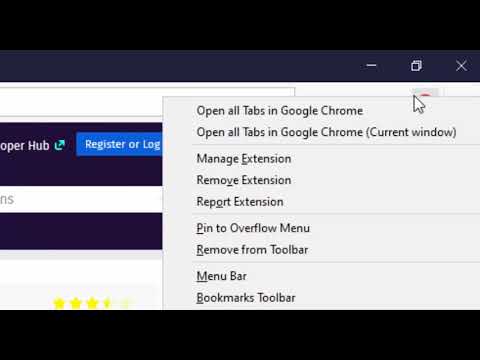
The "Open in Brave" extension simplifies opening the current tab or links within the Brave browser. With this extension, you can send links to the Brave browser without the hassle of manually copying and pasting links. Additionally, it can open all tabs in the destination browser with a single click. You can also close the tab opened in the destination browser if prefer so. If Brave is already running, the link opens in a new tab; however, if Brave is not running, a new instance is launched, then the link is directed there. Remarks: 1. To enable this extension to open links in the Brave browser, you'll need to install a native client. Installation instructions are provided upon requesting link opening. For visual guidance, there are two short video tutorials available in the screenshot section, covering installation steps for Windows, Linux, and macOS operating systems. 2. Currently, the native client only supports macOS, Windows, and Linux operating systems. Support for other operating systems is not available at this time.
5 में से 3.122 रेटिंग
वर्णन
- वर्शन0.2.1
- पिछली बार अपडेट होने की तारीख:14 नवंबर 2024
- ऑफ़र करने वालाbrian.girko
- आकार92.08KiB
- भाषाएंEnglish
- डेवलपर
ईमेल
brian.girko@gmail.com - गैर-व्यापारीइस डेवलपर ने अपनी पहचान व्यापारी के तौर पर ज़ाहिर नहीं की है. अगर आप यूरोपियन संघ के किसी देश में रहने वाले उपभोक्ता हैं, तो आपके और डेवलपर के बीच हुए समझौते पर उपभोक्ता के अधिकार लागू नहीं होंगे.
निजता

डेवलपर ने एलान किया है कि आपका डेटा
- जिन मामलों में इस्तेमाल की मंज़ूरी दी गई है उनके अलावा, किसी भी तीसरे पक्ष को नहीं बेचा जाता
- किसी ऐसे मकसद से इस्तेमाल या ट्रांसफ़र नहीं किया जाता जो आइटम के मुख्य फंक्शन के हिसाब से ज़रूरी नहीं है
- क़र्ज़ लेने या क़र्ज़ देने की स्थिति तय करने के लिए इस्तेमाल या ट्रांसफ़र नहीं किया जाता
सहायता
सवालों, सुझावों या समस्याओं के बारे में मदद पाने के लिए, डेवलपर की सहायता साइट पर जाएं.