

Open in Brave™ Browser
22 rating
)

Ringkasan
Send the current website, link, or all open tabs to the Brave web browser
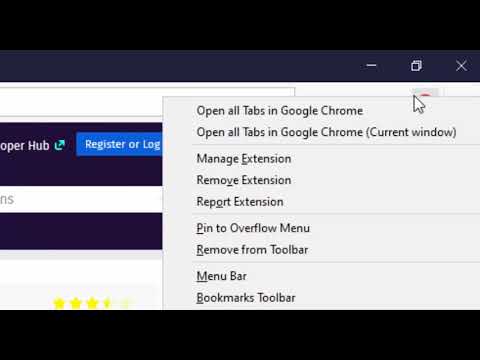
The "Open in Brave" extension simplifies opening the current tab or links within the Brave browser. With this extension, you can send links to the Brave browser without the hassle of manually copying and pasting links. Additionally, it can open all tabs in the destination browser with a single click. You can also close the tab opened in the destination browser if prefer so. If Brave is already running, the link opens in a new tab; however, if Brave is not running, a new instance is launched, then the link is directed there. Remarks: 1. To enable this extension to open links in the Brave browser, you'll need to install a native client. Installation instructions are provided upon requesting link opening. For visual guidance, there are two short video tutorials available in the screenshot section, covering installation steps for Windows, Linux, and macOS operating systems. 2. Currently, the native client only supports macOS, Windows, and Linux operating systems. Support for other operating systems is not available at this time.
3,1 dari 522 rating
Detail
- Versi0.2.1
- Diupdate14 November 2024
- Ditawarkan olehbrian.girko
- Ukuran92.08KiB
- BahasaEnglish
- Developer
Email
brian.girko@gmail.com - Non-pedagangDeveloper ini tidak mengidentifikasi diri sebagai pedagang. Bagi konsumen di Uni Eropa, perlu diperhatikan bahwa hak konsumen tidak berlaku untuk kontrak antara Anda dan developer ini.
Privasi

Developer ini menyatakan bahwa data Anda
- Tidak dijual ke pihak ketiga, di luar kasus penggunaan yang disetujui
- Tidak digunakan atau ditransfer untuk tujuan yang tidak terkait dengan fungsi inti item
- Tidak digunakan atau ditransfer untuk menentukan kelayakan kredit atau untuk tujuan pinjaman
Dukungan
Untuk mendapatkan bantuan terkait pertanyaan, saran, atau masalah, kunjungi situs dukungan developer