


Overview
Connect Slack, ClickUp or Google Chat to OnlineHours with a private code, or open Microsoft Teams setup.
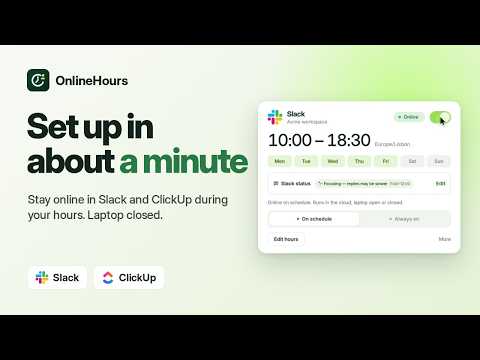
Connect Slack, ClickUp or Google Chat to OnlineHours and manage your online-status schedule from one dashboard. SLACK & CLICKUP Open your signed-in Slack or ClickUp workspace in Chrome, open OnlineHours Connector, and create a private connection code. Copy it, then paste it into your OnlineHours dashboard to finish connecting. The popup confirms when the code is copied and offers a manual-copy option. NEW: GOOGLE CHAT Open standalone Google Chat at chat.google.com in Chrome. In the connector, select Google Chat, enter the email of the account you want to connect, and choose Create connection code. Grant the optional Google site access, copy the code and paste it into Google Chat setup in your OnlineHours dashboard within ten minutes. Compatible connections run from OnlineHours servers during the hours you choose, including while your laptop is closed. A new connection starts paused; choose your schedule and switch it on when ready. If Google expires or rejects your session, create a fresh code to reconnect. Your organization's session policies still apply. MICROSOFT TEAMS This connector links to Teams setup on OnlineHours; it does not extract Teams credentials. Supported personal Teams sessions use the separate OnlineHours Teams Connector. Work or school accounts can use Microsoft sign-in, which may require administrator approval. YOU STAY IN CONTROL The connector reads the selected app's session values only after you choose to create a code and grant the requested site access. It does not read chats, DMs, message history or project content. Google Chat session credentials have broader permissions than online status alone; OnlineHours uses them only to verify your account and manage your presence, without requesting Gmail, Drive or message content. The extension does not upload the code automatically. You copy and paste it into your own OnlineHours dashboard over HTTPS. Connected credentials are encrypted for the server-side presence service. Keep your code private. You can stop or disconnect from the dashboard; disconnecting removes the saved connection. It does not sign you out of the original app. REQUIREMENTS An OnlineHours account and an authorized account with the selected app are required. The connector is free to install. OnlineHours offers a seven-day trial for one app without a payment card; continued cloud scheduling requires a subscription. The extension alone does not keep you online. Provider policies, expired sessions and other signed-in devices can affect your visible status. Includes light and dark themes and English, Spanish, Portuguese, French and Ukrainian interface options. Setup: https://onlinehours.app/download Support: https://onlinehours.app/support Privacy: https://onlinehours.app/privacy OnlineHours is an independent service and is not affiliated with Slack, ClickUp, Microsoft or Google.
5 out of 55 ratings
Details
- Version0.6.10
- UpdatedOctober 28, 2026
- Size40.45KiB
- LanguagesEnglish
- DeveloperWebsite
Email
support@onlinehours.app - Non-traderThis developer has not identified itself as a trader. For consumers in the European Union, please note that consumer rights do not apply to contracts between you and this developer.
Privacy

OnlineHours Connector has disclosed the following information regarding the collection and usage of your data. More detailed information can be found in the developer's privacy policy.
OnlineHours Connector handles the following:
This developer declares that your data is
- Not being sold to third parties, outside of the approved use cases
- Not being used or transferred for purposes that are unrelated to the item's core functionality
- Not being used or transferred to determine creditworthiness or for lending purposes
Support
For help with questions, suggestions, or problems, visit the developer's support site