


Overview
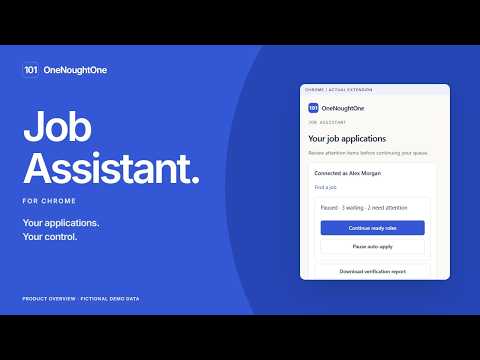
Fill job applications with saved facts and reviewed documents. Approve supported auto-apply from your own Chrome browser.
Prepare and complete job applications from your own Chrome browser with OneNoughtOne Job Assistant. Connect your OneNoughtOne account, review your application details and selected documents, then open an approved employer application. The assistant helps fill supported fields while keeping you in control of your answers, files and submission. WHAT YOU CAN DO • Fill supported application fields with saved contact details, professional facts and answers. • Preview and attach your reviewed resumes and cover letters. Local PDF and DOCX attachments are supported up to 5 MB per file. • Review missing questions beside the employer's form. Existing employer-field entries are preserved. • Request optional AI help with professional wording after reviewing the credit estimate and confirming. Review generated text before using it. • Approve a batch of specific roles or authorize a time-limited recurring rule with explicit targets and limits. • Run supported automatic submissions for Greenhouse, Lever and Ashby roles from your connected desktop Chrome browser. • Pause your queue, revoke your browser connection and review application outcomes on OneNoughtOne. YOU CONTROL THE APPLICATION Assisted filling lets you inspect the form and submit when ready. Automatic application requires your explicit approval. Login, CAPTCHA, unfamiliar controls, changed requirements and uncertain submission outcomes can require your attention. The assistant does not bypass employer verification or guarantee that an application will be accepted. In assisted mode, supported required acknowledgement boxes may be preselected. Their statements and links appear for review, and you can change the choices before submitting. Automatic applications stop when an agreement or other manual requirement needs your decision. Saved answers can be reused for matching questions. When you enter supported gender, race, ethnicity or veteran-status choices, the assistant can save those choices privately for matching country contexts. Agreements, signatures and health answers are not saved for reuse. Do not provide information you do not want to share with the employer. HOW YOUR DATA IS USED On an approved application, the assistant reads the application URL, form questions, supported choices and submission state to provide the features above. Selected answers, document requests and application progress are exchanged with OneNoughtOne. Your selected information is placed into the employer's form, and submission sends it to that employer and its application provider. The extension does not read unrelated browsing history, passwords or browser authentication cookies. It stores a revocable connection credential in extension storage and keeps short-lived application state for the approved role. Optional AI drafting uses selected professional facts, the job and its questions through the configured OneNoughtOne AI provider; it does not execute remotely supplied code. GET STARTED 1. Install and pin OneNoughtOne Job Assistant. 2. Choose Connect account and approve the browser connection on OneNoughtOne using an email-verified account. 3. Open Jobs on OneNoughtOne, prepare your application details and review the exact role and files. 4. Choose Open & fill, or explicitly authorize supported automatic applications. Keep desktop Chrome open while the queue runs. The extension is free to install. A OneNoughtOne account is required. Some platform capabilities may require an eligible plan, and optional AI work uses credits shown before confirmation. Filling saved facts and files uses no AI credits. Features depend on the employer's form and supported provider; universal website support and job placement are not promised. Website: https://www.onenoughtone.com/jobs/assistant Support: https://www.onenoughtone.com/contact Privacy: https://www.onenoughtone.com/privacy
0 out of 5No ratings
Details
- Version1.0.0
- UpdatedOctober 16, 2026
- Size67.71KiB
- LanguagesEnglish
- DeveloperWebsite
Email
anshik1998@gmail.com - Non-traderThis developer has not identified itself as a trader. For consumers in the European Union, please note that consumer rights do not apply to contracts between you and this developer.
Privacy

OneNoughtOne Job Assistant has disclosed the following information regarding the collection and usage of your data. More detailed information can be found in the developer's privacy policy.
OneNoughtOne Job Assistant handles the following:
This developer declares that your data is
- Not being sold to third parties, outside of the approved use cases
- Not being used or transferred for purposes that are unrelated to the item's core functionality
- Not being used or transferred to determine creditworthiness or for lending purposes
Support
For help with questions, suggestions, or problems, please open this page on your desktop browser