

Onemark – Bookmark & Tab Manager Sidebar
1 rating
)
Overview
Bookmark manager and Arc-style side panel: pinned sites, tabs, bookmarks, downloads in one place, plus optional cross-profile sync.
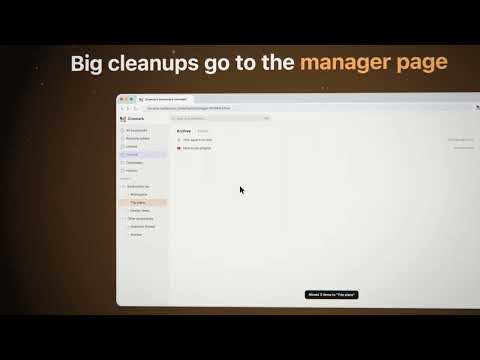
Keep the useful tabs close. Put the rest somewhere you can find again. Onemark gives Chrome a calm working surface: a side panel for the sites you are using now, a new tab page for the places you return to, and a manager page for the cleanup that never fits in a tab strip. Start the day from your own places. Open a new tab to see shortcuts, frequently visited sites, recently visited pages and your bookmarks bar — with no feed and no ads. Pin the sites you keep returning to, then drag to arrange them where your attention expects them. Find a page without tab hunting. The side-panel search looks through open tabs, bookmarks and your browsing history together. Use it to jump back to a tab you already have open, reopen a saved page or find something you visited last week; a result shows which kind it is. Tabs that stay organized. The side panel draws Chrome's tab groups the way Chrome does, and you can drag tabs into or out of a group, move a whole group, or rename, recolor and close it from a right-click. Put two tabs side by side. Clicking a tab or bookmark leaves the list where it is. Sound, site by site. When a tab plays sound, the now-playing bar lets you jump to it or mute everything, and a tab that just went quiet stays there for 10 minutes so you can find the one that beeped. Facebook videos too loud on autoplay? Hover that tab's speaker to set the tab's volume from 0 to 100%, which also works on most meeting pages. Onemark remembers the level for each site: other open tabs on that site follow it, and new tabs on that site start there. You can clear any site in settings. Remembered levels stay on this computer and are never synced. Volume control runs only on sites you allow, one site at a time, and never reads page content. End a research session without losing it. Choose Sweep into Archive to save eligible tabs into a dated Archive folder before closing them. Already-saved tabs are closed without creating another bookmark. You can also enable auto-archive: it runs after the idle period you choose (12 hours by default). Pinned, active and audible tabs are left alone, and a tab is not closed when its bookmark could not be written. Use the manager when a folder needs real attention. Browse your tree or switch among All bookmarks, Recently added, Unfiled, Downloads, History and Archive. The History view lets you search, delete and bookmark pages you visited. The manager has its own Cmd/Ctrl+K command palette for bookmarks, downloads, views and available commands. Recent downloads are visible from the panel; the manager adds a full downloads view with search and filters. Optional profile-to-profile bookmark sync. Sign in with a Jetto account and your bookmarks sync across your Chrome profiles, with no setup. Syncing 2 profiles is free; Onemark Pro (US$1.99/month or US$12/year) syncs unlimited profiles. Bookmarks are encrypted in transit over HTTPS and encrypted at rest by Cloudflare, where the sync service stores them. The sync service can read them, so the developer technically could. We do not look at, analyze or sell them. Your tabs, downloads and history never leave your device. You can delete your synced data any time from the options page. Optional error reports, off by default. If you turn on "Send crash and error reports" in settings, extension errors are sent to the developer through Sentry with URLs masked first. Leave it off and no error reports are sent. After installing, a short welcome page shows how to open the side panel. The interface is available in English, Japanese and Traditional Chinese.
5 out of 51 rating
Details
- Version0.2.7
- UpdatedOctober 22, 2026
- Offered byJetto AI
- Size397KiB
- Languages3 languages
- Developer
Email
hello@jetto.ai - Non-traderThis developer has not identified itself as a trader. For consumers in the European Union, please note that consumer rights do not apply to contracts between you and this developer.
Privacy

Onemark – Bookmark & Tab Manager Sidebar has disclosed the following information regarding the collection and usage of your data. More detailed information can be found in the developer's privacy policy.
Onemark – Bookmark & Tab Manager Sidebar handles the following:
This developer declares that your data is
- Not being sold to third parties, outside of the approved use cases
- Not being used or transferred for purposes that are unrelated to the item's core functionality
- Not being used or transferred to determine creditworthiness or for lending purposes