

OneBuddy - Pomodoro Timer, Ad Blocker & Notes

Overview
Your all-in-one productivity buddy — focus timer, notes, reminders, eye care, ad blocker & privacy tools in one extension.
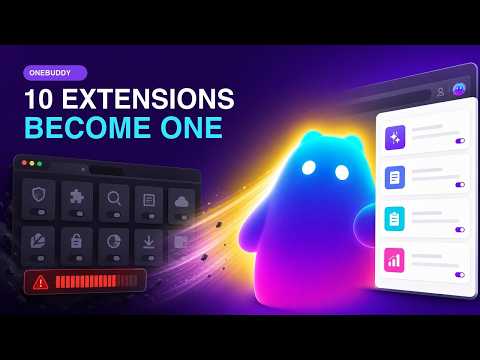
OneBuddy brings together 15+ productivity, wellness, and privacy tools into a single extension so you can replace multiple browser add-ons with one lightweight package. Whether you're a remote worker, student, freelancer, or anyone who spends long hours in Chrome, OneBuddy keeps your focus sharp, your eyes rested, and your browsing private — all from one clean side panel interface. PRODUCTIVITY TOOLS • Pomodoro Focus Timer — Customizable work and break intervals with auto-start breaks, screen dimming to block distractions, and a fullscreen mode with animated visuals • Guided Breathing Exercises — Built into the focus timer so you can decompress between deep work sessions without leaving your browser • Habit Tracker — Build lasting routines with streak-based tracking, daily or custom frequency, and a weekly progress view • Todo Manager — Organize tasks by priority (low, medium, high) with smart filtering and completion tracking • Quick Notes — Capture ideas, meeting action items, and snippets instantly. No need to open a separate app • Smart Reminders — Set interval-based, scheduled, or date-range reminders for hydration, posture breaks, meetings, or anything else • Google Calendar Integration — Sync your Google Calendar directly into OneBuddy. View upcoming events, select which calendars to display, and stay on top of your schedule without switching tabs HEALTH AND WELLNESS • Eye Care with Blue Light Filter — Reduce eye strain with adjustable warmth levels (2700K to 4500K). Set it to activate automatically at sunset or control it manually • 20-20-20 Rule Automation — Get reminded every 20 minutes to look at something 20 feet away for 20 seconds, the simplest way to reduce eye strain during long sessions • Health Reminders — Customizable notifications for water intake, posture checks, and stretch breaks PRIVACY AND SECURITY • Ad Blocker — Block ads on YouTube, websites, popups, banners, and overlays. Add trusted sites to your whitelist • Tracker Blocker — Stop third-party trackers from following you across the web. See exactly how many trackers have been blocked with real-time statistics • Privacy Blur — Blur sensitive content on your screen during presentations or screen shares. Choose from multiple blur styles (Gaussian, Pixelate, Blackout, Frost, Noise) with adjustable intensity • Browser Lock Screen — Lock your browser with a password when you step away. Tracks failed login attempts and supports auto-lock UTILITY TOOLS • Clipboard History — Never lose copied text again. Search through your clipboard history, filter by source, and copy anything back with one click • Bookmarks Manager — Access and organize your Chrome bookmarks with fast folder navigation right from the extension • Screen Capture — Take screenshots or record your screen with microphone audio. Pause and resume recordings with auto-save • Dashboard — Your personal productivity hub showing daily metrics, quick-access widgets, and an overview of your progress • Dark Mode — Built-in dark theme for comfortable use day and night • 40 Languages — Use OneBuddy in your language. We support English, Spanish, French, German, Japanese, Portuguese, Hindi, Arabic, Chinese, Korean, Vietnamese, Italian, Russian, Turkish, Thai, and 25 more HOW IT WORKS 1. Install OneBuddy. It takes less than 10 seconds. 2. Click the OneBuddy icon in your toolbar or open the side panel for an expanded view. 3. Set up reminders, take notes, sync your calendar, and manage your clipboard. 4. Explore additional features like the Pomodoro focus timer, habit tracker, eye care filter, ad blocker, and privacy tools. 5. Customize everything to fit your workflow — adjust timer durations, reminder intervals, blur styles, filter warmth, and language preferences. No complicated setup. Just install and start being more productive. WHO IS ONEBUDDY FOR Remote Workers and Hybrid Professionals You spend your entire workday in Chrome. OneBuddy keeps your focus sharp with the Pomodoro timer, protects your eyes with the blue light filter, and reminds you to hydrate and stretch. Clipboard history saves every URL and snippet you copy, and quick notes capture meeting takeaways without opening another app. Students and Learners Study smarter with the focus timer that dims your screen to block distractions. Track your study habits with streak-based tracking. Organize assignments by priority with the todo manager. And block ads on research sites so you can concentrate. Freelancers and Creatives Juggle multiple projects without the chaos. Sync client deadlines through Google Calendar integration. Record screen walkthroughs for client reviews. Keep bookmarks organized by project. Build daily creative routines with the habit tracker. Privacy-Conscious Users Handle sensitive information with confidence. Blur confidential data during screen shares. Block trackers from following your research activity across the web. Lock your browser when you step away. Remove intrusive ads from websites. Anyone Dealing with Screen Fatigue If your eyes hurt, your back aches, and you forget to drink water because you're glued to your screen, OneBuddy's wellness features were built for you. Automated eye care breaks, posture reminders, and breathing exercises help you feel better at the end of the day. ONE EXTENSION, MANY TOOLS Instead of installing a Pomodoro timer, a note app, an ad blocker, a blue light filter, a clipboard manager, a screenshot tool, and a habit tracker separately, OneBuddy combines them all. Less clutter. Less memory usage. Less hassle. Built on Chrome's Manifest V3 architecture for speed and efficiency. One extension uses less memory than running 5 to 8 separate add-ons. FREQUENTLY ASKED QUESTIONS What features are included? Core tools — reminders, notes, Google Calendar integration, clipboard history, bookmarks management, and dashboard — are included at no cost. Additional features like the Pomodoro timer, habit tracker, eye care, ad blocker, and privacy tools are available with a subscription. Does OneBuddy slow down my browser? No. OneBuddy is built on Chrome's Manifest V3 architecture and optimized for performance. How does the eye care feature work? It includes a blue light filter with adjustable warmth levels (2700K to 4500K) that can activate automatically at sunset. It also implements the 20-20-20 rule with gentle reminder overlays. Can I use OneBuddy during screen shares without showing sensitive information? Yes. The Privacy Blur feature lets you blur any part of your screen using different styles (Gaussian, Pixelate, Blackout, Frost, Noise) with adjustable intensity. Does the ad blocker work on YouTube? Yes. OneBuddy blocks YouTube ads, website banner ads, popups, and overlays. You can whitelist specific sites. What languages does OneBuddy support? OneBuddy is available in 40 languages including English, Spanish, French, German, Portuguese, Japanese, Chinese, Korean, Hindi, Arabic, Russian, Italian, Dutch, Turkish, Vietnamese, and more. Switch languages any time from settings. Is my data safe? Your notes, habits, and settings are stored locally on your device using Chrome's storage API. OneBuddy does not transmit your productivity data to external servers.
4 out of 51 rating
Details
- Version0.2.1
- UpdatedSeptember 9, 2026
- FeaturesOffers in-app purchases
- Size2.11MiB
- Languages38 languages
- DeveloperWebsite
Email
extinoltd@gmail.com - Non-traderThis developer has not identified itself as a trader. For consumers in the European Union, please note that consumer rights do not apply to contracts between you and this developer.
Privacy

OneBuddy - Pomodoro Timer, Ad Blocker & Notes has disclosed the following information regarding the collection and usage of your data. More detailed information can be found in the developer's privacy policy.
OneBuddy - Pomodoro Timer, Ad Blocker & Notes handles the following:
This developer declares that your data is
- Not being sold to third parties, outside of the approved use cases
- Not being used or transferred for purposes that are unrelated to the item's core functionality
- Not being used or transferred to determine creditworthiness or for lending purposes