Item logo image for One click less

One click less

4.5(

2 ratings

)
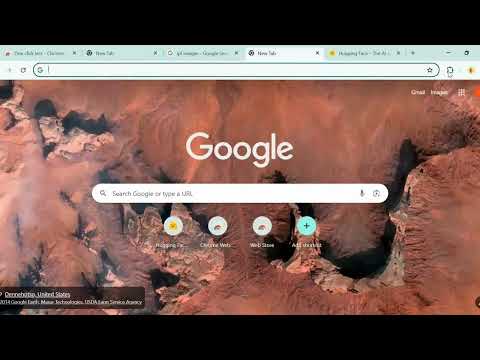
Item media 6 (screenshot) for One click less
Item video thumbnail
Item media 2 (screenshot) for One click less
Item media 3 (screenshot) for One click less
Item media 4 (screenshot) for One click less
Item media 5 (screenshot) for One click less
Item media 6 (screenshot) for One click less
Item video thumbnail
Item media 2 (screenshot) for One click less
Item media 3 (screenshot) for One click less
Item media 4 (screenshot) for One click less
Item media 5 (screenshot) for One click less
Item media 6 (screenshot) for One click less

Overview

Automatically redirects search queries to the best Google search tab using HuggingFace AI.

One Click Less is an AI-powered search redirection tool that streamlines your browsing experience by instantly detecting the intent behind your query and redirecting you to the most relevant Google service—whether it’s Images, News, Maps, Shopping, or others—while applying useful filters like recent time ranges when appropriate. Just type your query using the ask [Tab] shortcut, and the extension takes care of the rest—no need to tweak filters or switch tabs manually. Why install it? Because it saves you time and mental effort on every search. Whether you're hunting for the latest tech news, best local deals, or inspiration through image results, One Click Less intelligently handles the redirection so you stay focused and efficient. It’s perfect for professionals, students, researchers, or anyone who uses Google frequently and wants to cut down on repetitive actions. Best of all, your privacy is respected—the extension uses your Hugging Face token strictly for API calls, and no search data is collected or stored. With minimal setup and maximum productivity, One Click ess turns every search into a seamless, one-step process. Note: The extension works without Hugging Face tokens but is limited to predefined common keywords in user queries and is not recommended due to its limited functionality.

Details

  • Version
    1.0
  • Updated
    May 21, 2025
  • Offered by
    Manoj M
  • Size
    27.7KiB
  • Languages
    English (United States)
  • Developer
    Manoj M
    Bommasandra Rd Bommasandra Village Bommasandra, Karnataka 560099 IN
    Email
    manoj2003nov@gmail.com
  • Non-trader
    This developer has not identified itself as a trader. For consumers in the European Union, please note that consumer rights do not apply to contracts between you and this developer.

Privacy

One click less has disclosed the following information regarding the collection and usage of your data. More detailed information can be found in the developer's privacy policy.

One click less handles the following:

Location
Web history
User activity

This developer declares that your data is

  • Not being sold to third parties, outside of the approved use cases
  • Not being used or transferred for purposes that are unrelated to the item's core functionality
  • Not being used or transferred to determine creditworthiness or for lending purposes

Support

Related

Google AI Mode Remover

0.0

Remove the Google 'AI Mode' tab from Google Search results.

Turn Off Google AI Overview

0.0

Disable the AI Overview banner on Google Search results pages.

True Google AI removal

4.8

Appends -ai to every Google search, preventing AI search instead of just hiding it

Remove Google Search Generative AI

4.2

Remove Google Generative AI from Google Search.

Google Instant Keywords Extractor

4.0

Extract search suggestions from Google Search with a Single click 🔥

Pre-AI Search - Remove AI from Google

4.2

Remove AI Overviews and filter Google for pre-AI content.

Classic Google Search

4.7

Uses Google’s &udm=14 parameter to remove AI summaries and most ad-heavy results for a cleaner, classic search experience

No AI Mode for Google

5.0

Removes Google AI Mode tab and AI Overview section with toggle option.

No AI Google Search

2.5

Remove AI Previews in Google Search

Bing Copilot

4.0

Bing Copilot adds 'Search' and 'Ask Copilot' buttons to a new tab for quick access to AI Chat & makes Bing the default search engine

Deshittify Google Search

4.5

Automatically redirects Google searches to use the "web" filter to remove AI summaries, sponsored content, and the sidebar info.

Hide AI Overviews from Google

4.5

Removes Google's AI Overview so you can focus on classic search results.

Google AI Mode Remover

0.0

Remove the Google 'AI Mode' tab from Google Search results.

Turn Off Google AI Overview

0.0

Disable the AI Overview banner on Google Search results pages.

True Google AI removal

4.8

Appends -ai to every Google search, preventing AI search instead of just hiding it

Remove Google Search Generative AI

4.2

Remove Google Generative AI from Google Search.

Google Instant Keywords Extractor

4.0

Extract search suggestions from Google Search with a Single click 🔥

Pre-AI Search - Remove AI from Google

4.2

Remove AI Overviews and filter Google for pre-AI content.

Classic Google Search

4.7

Uses Google’s &udm=14 parameter to remove AI summaries and most ad-heavy results for a cleaner, classic search experience

No AI Mode for Google

5.0

Removes Google AI Mode tab and AI Overview section with toggle option.

Google apps