

One-Click Image Downloader – Bulk Download & Convert (JPG, PNG, PDF)

Overview
Download all images from any website in one click. Bulk save, filter and convert to JPG, PNG, WebP or PDF. Free, no sign-up.
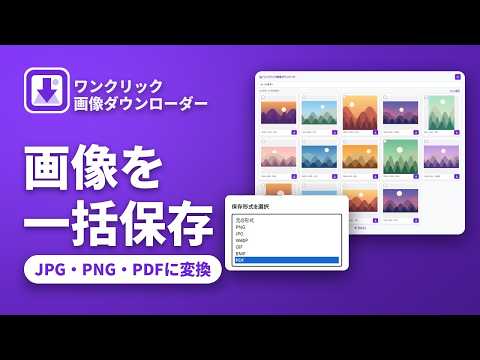
Save every image on a page in one click – then convert it to the format you need, without leaving Chrome. One-Click Image Downloader finds all the images on any website, lets you pick one or many, and downloads them instantly. Need a PNG instead of a WebP? Or a PDF of a set of product photos? Convert while you download. No extra tools, no sign-up, no ads. ★ WHAT YOU CAN DO • Download all images from a website in one click • Select several images and save them together as a ZIP • Convert while you download, for example WebP to PNG, or several images into one PDF • Filter by size and file type to skip icons and tiny thumbnails • Catch lazy-loaded and high-resolution images • Right-click any image to download or convert it • Wide tab view for pages with hundreds of images • Rename files in bulk ★ HOW IT WORKS 1. Open any webpage. 2. Click the One-Click Image Downloader icon. 3. Select the images you want – or select all. 4. Click Download, or choose a format to convert first. ★ PRIVATE BY DESIGN Everything runs on your device. No images or browsing data are uploaded, tracked or sold. Please respect copyright: only download and reuse images you have the right to use. Have an idea or found a bug? Email us at info@gemprogrammers.com – we read everything. If the extension saves you time, a quick rating helps other people find it.
5 out of 52 ratings
Details
- Version1.1.0
- UpdatedNovember 4, 2026
- Size217KiB
- Languages11 languages
- DeveloperAli Raza BootaWebsite
Post Office Hussain Khan Wala, Village Baggay Kasur 55050 PKEmail
gemprogrammersgp@gmail.comPhone
+92 309 0233479 - TraderThis developer has identified itself as a trader per the definition from the European Union and committed to only offer products or services that comply with EU laws.
Privacy

One-Click Image Downloader – Bulk Download & Convert (JPG, PNG, PDF) has disclosed the following information regarding the collection and usage of your data. More detailed information can be found in the developer's privacy policy.
One-Click Image Downloader – Bulk Download & Convert (JPG, PNG, PDF) handles the following:
This developer declares that your data is
- Not being sold to third parties, outside of the approved use cases
- Not being used or transferred for purposes that are unrelated to the item's core functionality
- Not being used or transferred to determine creditworthiness or for lending purposes
Support
For help with questions, suggestions, or problems, please open this page on your desktop browser