


Overview
Chrome companion of the Omnilisto Shopify app: publishes and syncs your Vinted and Leboncoin listings from your own session.
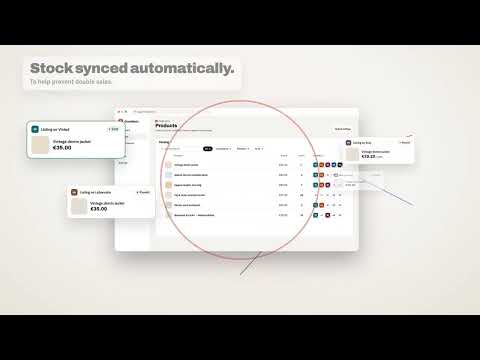
Omnilisto is a Shopify app that publishes your products on several sales channels and keeps prices and stock in sync between them. This extension is its Chrome companion for Vinted and Leboncoin, which offer no official connection for publishing listings: it works in your own browser session, just as you would. What the extension does: • Publishes the products you choose in the Omnilisto app as listings. • Updates the price and stock of your listings, and pauses a listing when stock reaches 0, to help avoid selling the same item twice. • Detects your sales, so stock also goes down in your store and on your other channels. • Imports your existing listings into your store, if you ask it to. Your security: • The extension works in your already signed-in session: it never asks for, reads or stores your password. • Site checks ("I'm not a robot", SMS codes…) are always left to you: the extension never bypasses them. • It only runs on vinted.fr, vinted.com and leboncoin.fr. • Your hand-delivery address is set in the Omnilisto app; the extension only receives it to fill in the listing form. Getting started: 1. Install the Omnilisto app on your Shopify store. 2. Add this extension to Chrome. 3. In the app, on the "Chrome extension" page, generate a pairing code and paste it into the extension window. When Chrome is closed, actions wait and resume on their own when you reopen it. Omnilisto is an independent service and is not affiliated with the sites mentioned.
0 out of 5No ratings
Details
- Version1.0.2
- UpdatedOctober 6, 2026
- Size168KiB
- Languages2 languages
- DeveloperWebsite
Email
contact@softwai.fr - Non-traderThis developer has not identified itself as a trader. For consumers in the European Union, please note that consumer rights do not apply to contracts between you and this developer.
Privacy

Omnilisto — Chrome companion for the Shopify app has disclosed the following information regarding the collection and usage of your data. More detailed information can be found in the developer's privacy policy.
Omnilisto — Chrome companion for the Shopify app handles the following:
This developer declares that your data is
- Not being sold to third parties, outside of the approved use cases
- Not being used or transferred for purposes that are unrelated to the item's core functionality
- Not being used or transferred to determine creditworthiness or for lending purposes
Support
For help with questions, suggestions, or problems, visit the developer's support site