


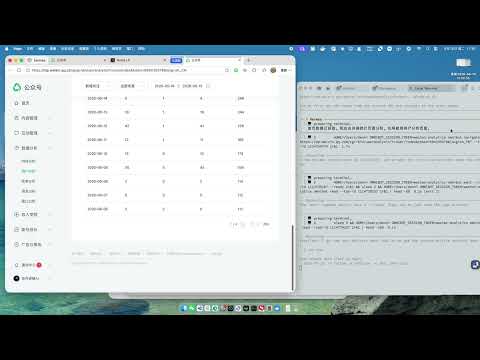
Overview
LLM 浏览器自动化助手
https://omnibot.asia 🤖 Omnibot —— AI Agent 的免费浏览器桥接工具 让你的 AI Agent 真正拥有浏览器操作能力。读取网页、页面导航、元素交互、自动化操作,一切都基于你自己的 Chrome 浏览器完成。 Omnibot 可以让 AI Agent 直接连接你当前打开的浏览器标签页,使用你的登录状态、浏览器会话和访问权限。无需云浏览器,无需共享账号密码。 🆓 永久免费,无任何使用限制 本地模式下无需注册账号、无需 API Key、无调用次数限制,可永久免费使用。 同时支持远程模式,可连接多台浏览器设备。 🔌 兼容主流 AI Agent 支持通过 MCP 或 Skill 快速接入,可与 Claude Code、Opencode、Codex、Cursor 以及所有兼容 MCP 的 AI Agent 配合使用。 安装 Skill: omnibot skills install --agent <agent-name> 🌐 支持所有网站 无论是登录后的网页、JavaScript 应用还是带有机器人检测的网站,只要浏览器能够打开,Omnibot 就能够访问。 直接读取真实浏览器 DOM,无需适配器,不受网站框架限制。 ⚡ 智能网页提取 自动生成适合大语言模型处理的结构化页面内容。 支持: 自动移除 Script 与 Style 智能列表识别 Token 长度优化 自动截断冗余内容 相比直接读取 HTML,可显著降低 Token 消耗。 🎯 完整浏览器自动化 AI Agent 可以像真人一样操作浏览器,包括: 点击按钮 填写表单 页面滚动 等待元素加载 切换浏览器标签页 将多个操作合并为一次批量执行 📸 截图与调试 支持: 页面截图 DOM 检查 Chrome DevTools Protocol(CDP)调试命令 为 AI Agent 提供完整的浏览器调试能力。 🌍 随时连接你的浏览器 既可以连接本机浏览器,也支持连接远程设备上的浏览器。 多浏览器统一管理,无需代理,仅需一个命令即可完成连接。 🧰 内置命令 omnibot doctor 检查连接状态 omnibot tabs 查看已打开标签页 omnibot scan 读取当前页面 omnibot full-scan 自动滚动读取完整页面 omnibot navigate <url> 打开指定网址 omnibot screenshot 截取当前页面 omnibot execute-js <js> 执行 JavaScript omnibot click <selector> 点击指定元素 omnibot scroll <direction> 页面滚动 omnibot wait <condition> 等待指定条件 omnibot batch --commands-json 批量执行多个操作 🚀 快速开始 安装 Omnibot npm install -g omnibot 安装浏览器扩展 为你的 AI Agent 安装 Skill,立即开始浏览器自动化 omnibot skills install --agent opencode 让你的 AI Agent 真正拥有浏览器操作能力。
0 out of 5No ratings
Details
- Version1.6.20
- UpdatedJuly 23, 2026
- FeaturesOffers in-app purchases
- Size71.14KiB
- Languages2 languages
- DeveloperWebsite
Email
809041862@qq.com - Non-traderThis developer has not identified itself as a trader. For consumers in the European Union, please note that consumer rights do not apply to contracts between you and this developer.
Privacy

This developer declares that your data is
- Not being sold to third parties, outside of the approved use cases
- Not being used or transferred for purposes that are unrelated to the item's core functionality
- Not being used or transferred to determine creditworthiness or for lending purposes