


Overview
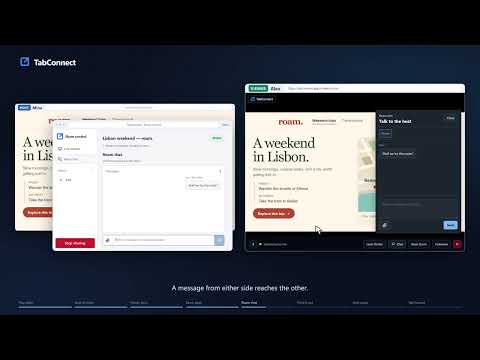
Share your current browser tab with viewer links, live room controls, diagnostics, and chat.
Share a browser tab, a window, or your entire screen. Use TabConnect to teach a class, give a demo, or see what a customer needs help with. Send viewers a link or a downloadable QR code. They can join in their browser on a desktop, tablet, or phone, without installing anything or creating an account. Make your shared sessions interactive: - Viewers can request remote control of a supported Current tab share. You approve each request and can stop control at any time. - Let multiple viewers point to details with laser pointers in Current tab mode. - Chat with the whole room or privately with individual viewers, and share files up to 25 MB each. - Choose whether viewers hear audio from the content you share. - Share your webcam and microphone alongside your content. Tools for presenting and viewing: - Use Smart sharing to keep text and interfaces sharp. - Choose Balanced or Text clarity mode to suit what you’re presenting. - Viewers can zoom, pan, go fullscreen, or switch between Fit Screen and Actual Size. Touch devices also support pinch-to-zoom. - Share just one tab to keep the rest of your desktop private. Stay in control of your session: - Switch the shared tab without restarting in Current tab mode. - Freeze the picture and resume when you’re ready. Your microphone is controlled separately. - Lock the room, set a viewer limit, or remove viewers. - Reuse previous session codes from your history. Request your customer's screen: - Open Request customer screen in the extension and send the full private invitation link. If the customer is already watching your share, you can send the request directly from their private chat. - The customer opens the invitation in desktop Chrome or Edge and chooses a tab, window, or entire screen. They don’t need an account, extension, or download. - Nothing is shared until the customer approves. They can stop sharing at any time. - Each invitation accepts one customer and expires after 30 minutes if unused. The customer’s screen share is view-only, with no shared audio or remote control. Standalone invitations don’t include chat or file transfer. If you send the request from an existing private chat, you can keep chatting there while the customer shares. End-to-end encryption: - Customer screen shares requested from the extension are automatically end-to-end encrypted, regardless of whether encryption is enabled for the host’s own share. - For your own shares, enable end-to-end encryption in Share settings before you start to protect screen content, chat messages, and shared files. This setting is off by default. Viewers need the full private link or QR code to join an encrypted share. - Remote-control messages, clipboard messages, and operational metadata are outside the scope of the optional encryption setting. Built for reliable browser sharing: WebRTC supports direct connections and can fall back to a relay on difficult networks. Live connection diagnostics, bandwidth statistics, and an exportable session log help you troubleshoot. Free to use. Share what you choose. See what your customer needs help with.
0 out of 5No ratings
Details
- Version1.1.17
- UpdatedNovember 24, 2026
- Size1017KiB
- LanguagesEnglish
- DeveloperWebsite
Email
support@fixquotes.com - Non-traderThis developer has not identified itself as a trader. For consumers in the European Union, please note that consumer rights do not apply to contracts between you and this developer.
Privacy

TabConnect: Browser Tab Screen Sharing has disclosed the following information regarding the collection and usage of your data. More detailed information can be found in the developer's privacy policy.
TabConnect: Browser Tab Screen Sharing handles the following:
This developer declares that your data is
- Not being sold to third parties, outside of the approved use cases
- Not being used or transferred for purposes that are unrelated to the item's core functionality
- Not being used or transferred to determine creditworthiness or for lending purposes
Support
For help with questions, suggestions, or problems, visit the developer's support site