

OKIOCAM Live
1 個評分
)
總覽
適合現場展示的完美應用程式。在較大的螢幕上顯示相機的影像,或透過視訊會議軟體分享它。
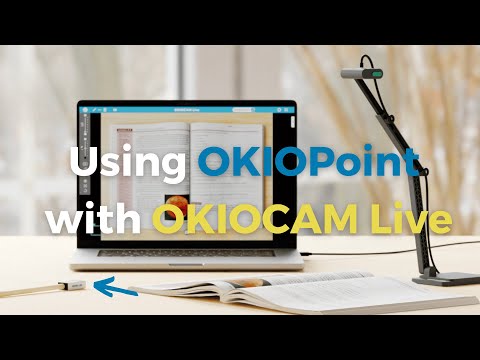
Teachers' Favorite Software - Visualize Lessons in Dynamic Ways OKIOCAM Live is the perfect app for live presenting with your document camera, allowing you to display your camera's image on a larger screen or share it through conferencing software. The app comes with new exciting features that you have been asking for — Annotation, PiP (Picture-in-picture), and exclusive Presentation Modes to be used together with our new OKIOPoint visual pointer. Watch TUTORIAL: https://www.youtube.com/watch?v=qsuiyhEAD38 Download Windows/Mac Desktop App: https://www.okiolabs.com/software/okiocam-live/ Get the most out of your document camera with OKIOCAM Live! 5 Presentation Modes: ★Zoom and Follow Zoom and follow is the default mode when you turn on the OKIOPoint feature in the OKIOCAM Live App for the first time. In this mode, the camera will zoom in at the place you point with your OKIOPoint. Great for: -In-class read-alouds. -Close ups on pictures and graphics. -Creating variety to make your audience alert while they follow your movement! —------- ★Highlight In Highlight mode, only a small area next to where you are pointing is shown clearly to make it easy to see where everyone should be focusing on now. The Width and Height of the area can be adjusted to fit your needs. Great for: -Minimizing distractions when reading. —------- ★Fluorescent Marker In this mode, a small area you are pointing at will be highlighted just like how you would highlight certain parts of a text using a highlighter to let students know that “this is important”! You can take snapshots at any point of your presentation on the App and distribute the shots as review materials after. —------- Great for: -Highlighting an important section of the text. -Highlighting a math formula that’ll be on the test! —------- ★Underline Underline mode is perfect for teaching kids how to read graphs. As a bonus, it makes it much easier for teachers to line up the names with numbers in attendance registers and grade books too! Great for: -Making it easy for students to follow along in class -Accentuating important information —------- ★Spotlight Bring a theatrical spark into your lessons! Spotlight mode shows whatever you are pointing at in the spotlight, while darkening the surrounding areas. Great for: -Playing games in class. -Making reading roleplays more fun. Handy Tools for Teachers: ★Annotation Make annotations in class to enhance visual memory, take a snapshot, and save it for future review! Includes handy functions like freehand drawing, framing, lines, and arrows. ★Secondary Camera (PiP) With the built-in PiP function, you can easily show your face using a second camera (like using another OKIOCAM or webcam) at the same time as you show your work with your main OKIOCAM camera. This way, you can strengthen relationships during online presentations by showing your personality to the audience! Comments? Questions? Suggestions? Contact us at: https://support.okiolabs.com
5 分 (滿分 5 分)1 個評分
詳細資料
- 版本1.0.7
- 已更新2026年5月8日
- 提供者https://www.okiolabs.com
- 大小39.55MiB
- 語言5 種語言
- 開發人員
電子郵件
support@okiolabs.com - 非交易商這位開發人員並未表明自己是交易商。歐盟地區的消費者請注意,消費者權利不適用於你和這位開發人員之間簽訂的合約。
隱私權

這位開發者就你的資料做出下列聲明:
- 除經核准的用途外,不會將你的資料販售給第三方
- 不會基於與商品核心功能無關的目的,使用或轉移資料
- 不會為了確認信用度或基於貸款目的,使用或轉移資料
支援
如有疑問或建議,請使用電腦版瀏覽器開啟這個頁面