

OKIOCAM Live
1 个评分
)
概述
The perfect app for live presentations. Display your camera's image on a larger screen or share it through conferencing software.
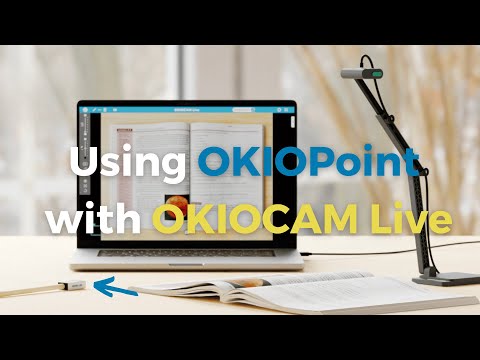
Teachers' Favorite Software - Visualize Lessons in Dynamic Ways OKIOCAM Live is the perfect app for live presenting with your document camera, allowing you to display your camera's image on a larger screen or share it through conferencing software. The app comes with new exciting features that you have been asking for — Annotation, PiP (Picture-in-picture), and exclusive Presentation Modes to be used together with our new OKIOPoint visual pointer. Watch TUTORIAL: https://www.youtube.com/watch?v=qsuiyhEAD38 Download Windows/Mac Desktop App: https://www.okiolabs.com/software/okiocam-live/ Get the most out of your document camera with OKIOCAM Live! 5 Presentation Modes: ★Zoom and Follow Zoom and follow is the default mode when you turn on the OKIOPoint feature in the OKIOCAM Live App for the first time. In this mode, the camera will zoom in at the place you point with your OKIOPoint. Great for: -In-class read-alouds. -Close ups on pictures and graphics. -Creating variety to make your audience alert while they follow your movement! —------- ★Highlight In Highlight mode, only a small area next to where you are pointing is shown clearly to make it easy to see where everyone should be focusing on now. The Width and Height of the area can be adjusted to fit your needs. Great for: -Minimizing distractions when reading. —------- ★Fluorescent Marker In this mode, a small area you are pointing at will be highlighted just like how you would highlight certain parts of a text using a highlighter to let students know that “this is important”! You can take snapshots at any point of your presentation on the App and distribute the shots as review materials after. —------- Great for: -Highlighting an important section of the text. -Highlighting a math formula that’ll be on the test! —------- ★Underline Underline mode is perfect for teaching kids how to read graphs. As a bonus, it makes it much easier for teachers to line up the names with numbers in attendance registers and grade books too! Great for: -Making it easy for students to follow along in class -Accentuating important information —------- ★Spotlight Bring a theatrical spark into your lessons! Spotlight mode shows whatever you are pointing at in the spotlight, while darkening the surrounding areas. Great for: -Playing games in class. -Making reading roleplays more fun. Handy Tools for Teachers: ★Annotation Make annotations in class to enhance visual memory, take a snapshot, and save it for future review! Includes handy functions like freehand drawing, framing, lines, and arrows. ★Secondary Camera (PiP) With the built-in PiP function, you can easily show your face using a second camera (like using another OKIOCAM or webcam) at the same time as you show your work with your main OKIOCAM camera. This way, you can strengthen relationships during online presentations by showing your personality to the audience! Comments? Questions? Suggestions? Contact us at: https://support.okiolabs.com
5 星(5 星制)1 个评分
详情
- 版本1.0.6
- 上次更新日期2025年11月29日
- 提供方https://www.okiolabs.com
- 大小39.55MiB
- 语言5 种语言
- 开发者
邮箱
support@okiolabs.com - 非交易者该开发者尚未将自己标识为交易者。欧盟地区消费者须知:消费者权利可能不适用于您与该开发者达成的合约。
隐私权

该开发者已声明,您的数据:
- 不会因未获批准的用途出售给第三方
- 不会为实现与产品核心功能无关的目的而使用或转移
- 不会为确定信用度或放贷目的而使用或转移
支持
若有任何疑问、建议或问题,请在桌面浏览器中打开此页面