

HubTodo
1 оценка
)

Общ преглед
A simple todo app that adds the selected text. A task suddenly asked to be done via chat, a ticket suddenly assigned, a sentence…
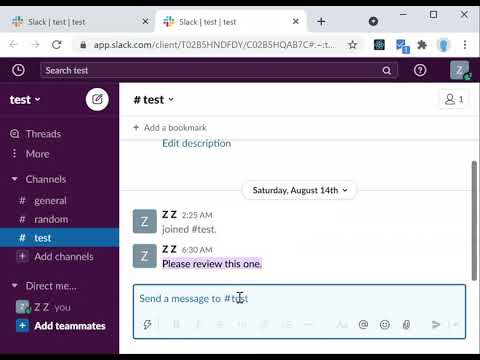
A simple todo app that adds the selected text. A task suddenly asked to be done via chat, a ticket suddenly assigned, a sentence on a website that you are curious about that you are going to deal with later, etc... Today, there are many different types of communication tools. All of them generate todo, but there doesn't seem to be a todo app in the world yet that can unify all of them and queue them up easily and securely. I don't want something that works with all those SaaS todo. I just want a todo app that allows me to queue up selected text as a todo. This chrome extension fills that need. After installing it, select a sentence on a website and click "add hub todo task" in the context menu to add the task to your todo. The added todo tasks will be listed in the extension popup in the upper right corner. Click the link button on the list, and the page will move to a new tab where the selected sentence will be highlighted using the "Scroll To Text Fragment". Todo lists can be deleted and reordered by dragging, and the lists are synchronized by Chrome. CHANGELOG v1.0.0 - Added the feature to add todo from the address bar (omnibox) as well. v1.0.1 - Fixed permissions and icon
5 от 51 оценка
Подробности
- Версия1.0.1
- Актуализирано19 август 2021 г.
- Предлага се отyhzz
- Размер345KiB
- ЕзициEnglish
- Програмист
По имейл
20seikisyounen@gmail.com - НетърговецТози програмист не се е идентифицирал като търговец. Имайте предвид, че правата на потребителите не са приложими за договори, сключени между потребители в Европейския съюз и този програмист.
Поверителност

Този програмист декларира, че данните ви:
- Не се продават на трети страни за цели извън одобрените случаи на употреба
- Не се използват или прехвърлят за цели, които не са свързани с основната функционалност на елемента
- Не се използват или прехвърлят с цел оценка на кредитоспособността или с цел кредитиране
Поддръжка
За помощ относно въпроси, предложения или проблеми, моля, отворете тази страница на настолния си браузър