


Overview
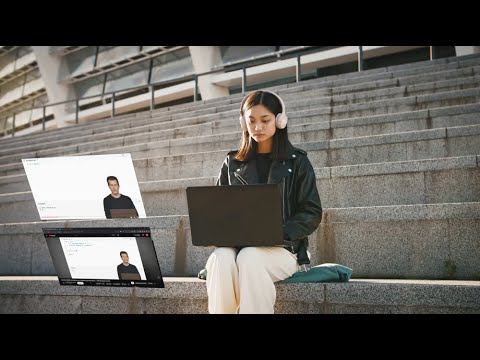
Take timestamped YouTube notes that auto-sync to Google Docs & Drive. Perfect for lectures, tutorials, and online courses.
Learn faster from YouTube lectures and tutorials. OK Noted makes it easy to take clean, timestamped notes while watching YouTube, and automatically saves everything into a Google Doc in your own Google Drive. Designed for students, online learners, and anyone studying from videos. ✨ FEATURES ---------------------------------- 📝 Take timestamped notes without switching tabs Click once to capture a moment and return to it instantly 📸 Screenshot any YouTube frame Your notes are written in real time to a Google Doc you own. No exporting. No losing notes. Access them from any device. 📄 Auto-sync to Google Docs Your notes are written in real time to a Google Doc you own. No exporting. No losing notes. Access them from any device. 🎓 Built for Students Use it for university lectures, crash courses, coding tutorials, Khan Academy, recorded class videos, or any YouTube-based learning. 🔒 Your data stays yours Your notes live in your own Google Drive. No accounts, no servers, your data stays with you. 🌙 Light & dark mode support Comfortable to use day or night. ❓ WHY STUDENTS USE OK NOTED❗ ---------------------------------- Most YouTube note extensions store your notes inside the extension only. OK Noted saves everything directly to Google Docs, which is already where students study, organize, and collaborate. Perfect for this workflow: YouTube → Notes → Google Doc → Study → Share → Review 💼 USE CASES ---------------------------------- • Lecture replays • Coding tutorials • Math and science courses • Language learning • Test prep • MOOC content (CS50, MIT, Stanford uploads) • Any tutorial video on YouTube ⬇️ INSTALL OK NOTED IF YOU WANT TO: ---------------------------------- • Take better notes from YouTube • Keep everything in Google Docs • Study faster with timestamps and screenshots • Stop switching tabs while watching lectures • Never lose your notes again
5 out of 54 ratings
Details
- Version1.2.1
- UpdatedNovember 19, 2025
- Size148KiB
- LanguagesEnglish
- DeveloperWebsite
Email
davidapei@gmail.com - Non-traderThis developer has not identified itself as a trader. For consumers in the European Union, please note that consumer rights do not apply to contracts between you and this developer.
Privacy

OK Noted – YouTube Notes to Google Docs has disclosed the following information regarding the collection and usage of your data. More detailed information can be found in the developer's privacy policy.
OK Noted – YouTube Notes to Google Docs handles the following:
This developer declares that your data is
- Not being sold to third parties, outside of the approved use cases
- Not being used or transferred for purposes that are unrelated to the item's core functionality
- Not being used or transferred to determine creditworthiness or for lending purposes
Support
For help with questions, suggestions, or problems, visit the developer's support site