

Zapit - Click to Remove Element

Overview
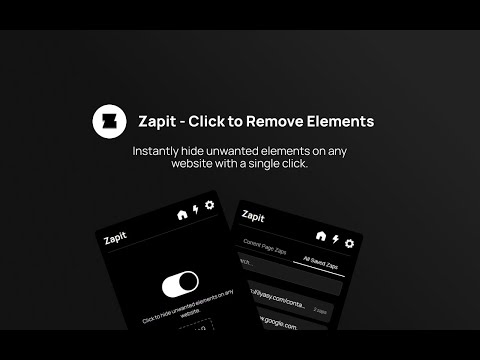
Instantly hide unwanted elements on any website with a single click. Clean up your browsing experience!
Zapit – Click to Remove Elements lets you instantly remove unwanted elements from any website and keep them hidden permanently. Perfect for removing ads, popups, banners, sidebars, and other distractions to create a cleaner browsing experience. Features ✔️ Zap Mode – Click any element to instantly remove it ✔️ Persistent Zaps – Removed elements stay hidden after page reloads and browser restarts ✔️ Current Website Zaps – View and manage zaps for the site you're currently visiting ✔️ All Saved Zaps – Access and manage all your saved zaps in one place ✔️ Import & Export Zaps – Back up and transfer zaps between devices ✔️ Delete Zaps Anytime – Easily undo or remove saved zaps ✔️ Keyboard Shortcut – Launch Zapit instantly with a customizable shortcut (Ctrl+Q by default) ✔️ Modern, Lightweight UI – Fast, simple, and easy to use Take control of your browsing experience and customize websites exactly the way you want with Zapit.
3.9 out of 514 ratings
Details
- Version2.2
- UpdatedJune 2, 2026
- Size35.3KiB
- LanguagesEnglish
- DeveloperWebsite
Email
muhammedilyasyp@gmail.com - Non-traderThis developer has not identified itself as a trader. For consumers in the European Union, please note that consumer rights do not apply to contracts between you and this developer.
Privacy

This developer declares that your data is
- Not being sold to third parties, outside of the approved use cases
- Not being used or transferred for purposes that are unrelated to the item's core functionality
- Not being used or transferred to determine creditworthiness or for lending purposes
Support
For help with questions, suggestions, or problems, please open this page on your desktop browser