

Interactive Demo Capture

Overview
Record interactive product demos by clicking through your app. Every click becomes a step. For the open-source interactive-demo CLI.
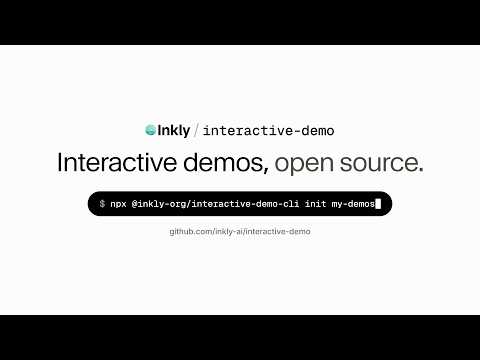
Click through your product once. Every click becomes a step in an interactive demo that a viewer drives themselves. Interactive Demo Capture is the recorder for interactive-demo, the open-source, agent-native toolkit for interactive product demos by Inkly. Record in your own Chrome, signed in as you, with no terminal and no setup. What you get is not a video and not a locked-in project: it is a small folder of plain files that you, your team or your coding agent can edit, review and re-ship. HOW IT WORKS 1. Open your product in a tab and press Start Recording. 2. Use it the way you would show it to someone. Each click becomes a step: the screen as it was just before the click, with a pointer on what you clicked and a zoom toward it. 3. Scroll or type before a click and that step is saved as a short clip instead of a screenshot. 4. Press Stop. The recording is kept in the extension until you decide what to do with it. THEN CHOOSE • Upload to Inkly. The demo opens in the app, ready to check and publish. You get one link, and publishing again updates the same link, so embeds keep working. • Download ZIP. A demo folder the interactive-demo CLI opens with one command: npx interactive-demo init --from ~/Downloads/your-demo.zip From there, edit it locally, publish it, or build a self-contained folder and host it anywhere. BUILT FOR AGENTS A recording gives you structure. The words on each step are the demo. After a download the extension hands you a ready-made prompt for Claude Code, Codex or any other coding agent: it imports the recording, rewrites the step copy and validates the result. Because a demo is a JSON file and an assets folder in your repo, your agent edits it like any other file, the diff is reviewable, and when your product changes it can re-capture the screens and fix the copy. WHAT TEAMS MAKE WITH IT • Product marketing: a click-through on the landing page or in a launch post, instead of a screenshot. • Onboarding: show a new user the first five minutes before they have to find it themselves. • Knowledge base: replace a wall of numbered steps with the steps themselves. • Training: walk a new teammate through an internal tool once, and keep the walkthrough. • Sales enablement: give every rep the same accurate tour of each workflow, and a link to send after the call. DETAILS • Blur sensitive info: emails, numbers and form fields are blurred on the page while you record, so they never reach the screenshot. • Auto zoom: each step zooms toward what was clicked. Turn it off in Settings. • Video steps: scrolling and typing are captured as short clips. Turn them off in Settings for a screenshots-only demo. • Nothing leaves your browser until you say so. The extension has no analytics and no error reporting, and it contacts no server until you choose Upload. • One recording is one tab. OPEN SOURCE The demo format, the player, the CLI and the local editor are MIT licensed: https://github.com/inkly-ai/interactive-demo Hosting on Inkly is optional. A demo built with the CLI is a static folder you can serve yourself, and the embed code is the same either way.
0 out of 5No ratings
Details
- Version0.1.0
- UpdatedOctober 3, 2026
- Offered bygoinkly
- Size239KiB
- LanguagesEnglish (United States)
- Developer
Email
goinkly@gmail.com - Non-traderThis developer has not identified itself as a trader. For consumers in the European Union, please note that consumer rights do not apply to contracts between you and this developer.
Privacy

Interactive Demo Capture has disclosed the following information regarding the collection and usage of your data. More detailed information can be found in the developer's privacy policy.
Interactive Demo Capture handles the following:
This developer declares that your data is
- Not being sold to third parties, outside of the approved use cases
- Not being used or transferred for purposes that are unrelated to the item's core functionality
- Not being used or transferred to determine creditworthiness or for lending purposes
Support
For help with questions, suggestions, or problems, visit the developer's support site