

OhFlow: Webflow Shortcuts & Tools
1 rating
)
Overview
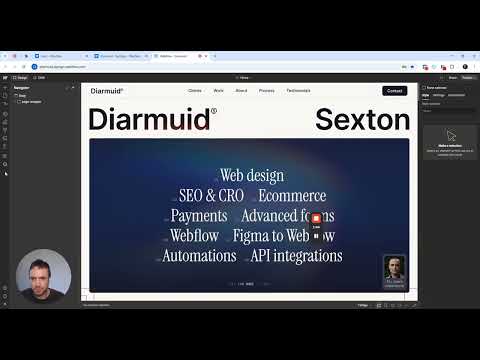
Adds workflow shortcuts, CMS tools, publishing helpers, and interface cleanup for Webflow.
🚀 Work faster in Webflow with keyboard shortcuts, automations and interface enhancements - achieve a state of flow! It reduces clicks and repetitive tasks and once you begin using it, it'll be hard to live without it. ✨ Highlights ✅ 80+ features ✅ Faster saving, page navigation, publishing, and previews ✅ Improved CMS, variable, and asset editing ✅ Optional interface cleanup for tools you don’t use ✅ Features can be enabled or disabled individually ⭐ Popular features • Class sync when pasting between projects • Remove larger breakpoints • Navigate between recently visited pages • Open Page Settings, production or staging page instantly • Toggle Display None, Hover State, and Visibility • Edit CMS content with the Bulk Editor • Unbind CMS fields and variables with a click • Generate and manage llms.txt • Validate Schema.org markup from Page Settings 💼 Built for Webflow professionals OhFlow is designed for freelancers, agencies, developers, and anyone working regularly in the Webflow designer. It integrates directly into Webflow without altering your existing workflow or without installing as an App on each site. Finally, it is optimised for minimum memory usage to keep your designer fast and responsive. OhFlow is designed for freelancers, agencies, developers, and anyone who works regularly in the Webflow designer. It integrates directly into Webflow without altering your existing workflow or without installing as an App on each site. Finally, it is optimised for minimal memory usage, keeping your designer fast and responsive. 💡 Good to know • A Webflow account is required. • Features can be managed from the OhFlow sidebar. • Features and improvements will be added regularly based on user feedback. • OhFlow is an independent extension and is not affiliated with or endorsed by Webflow.
5 out of 51 rating
Details
- Version1.0.3
- UpdatedAugust 11, 2026
- Offered bydiarmuids
- Size628KiB
- LanguagesEnglish (United Kingdom)
- DeveloperDIARMUID PATRICK SEXTON
The Tara Building Dublin 2, Co. Dublin D02 RY83 IEEmail
diarmuids@gmail.comPhone
+353 85 148 1674 - TraderThis developer has identified itself as a trader per the definition from the European Union and committed to only offer products or services that comply with EU laws.
Privacy

This developer declares that your data is
- Not being sold to third parties, outside of the approved use cases
- Not being used or transferred for purposes that are unrelated to the item's core functionality
- Not being used or transferred to determine creditworthiness or for lending purposes
Support
For help with questions, suggestions, or problems, please open this page on your desktop browser