Item logo image for Oflox® Link Shortener + QR Generator

Oflox® Link Shortener + QR Generator

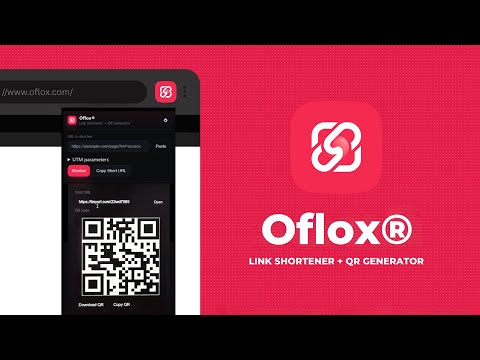
Item media 3 (screenshot) for Oflox® Link Shortener + QR Generator
Item video thumbnail
Item media 2 (screenshot) for Oflox® Link Shortener + QR Generator
Item media 3 (screenshot) for Oflox® Link Shortener + QR Generator
Item video thumbnail
Item media 2 (screenshot) for Oflox® Link Shortener + QR Generator
Item media 3 (screenshot) for Oflox® Link Shortener + QR Generator

Overview

All-in-one link shortener with UTM tags and QR code download for live and custom URLs.

Oflox® Link Shortener + QR Generator is an all-in-one Chrome extension to shorten links, add UTM tags, and generate branded QR codes in seconds. You can shorten your current browsing page or paste any custom URL, making it perfect for both personal and professional use. Key Features: 1. Shorten live or custom URLs with one click. 2. Add UTM tags (utm_source, utm_medium, utm_campaign) for campaign tracking. 3. Generate QR codes and download or copy them instantly. 4. Right-click menus to shorten links or current page URLs directly. 5. Customizable settings — choose provider (TinyURL / is.gd), save UTM defaults, enable auto-shortening. Why Choose Oflox®? • Developed by Oflox® — India’s #1 Trusted Digital Marketing Company. • Lightweight, secure, and privacy-friendly (no personal data collection). • Uses only safe and trusted APIs for shortening and QR generation.

Details

  • Version
    1.0.0
  • Updated
    September 9, 2025
  • Offered by
    Oflox.com
  • Size
    29.87KiB
  • Languages
    English
  • Developer
    Oflox
    Selaqui Dehradun, Uttarakhand 248197 IN
    Email
    ofloxindia@gmail.com
  • Non-trader
    This developer has not identified itself as a trader. For consumers in the European Union, please note that consumer rights do not apply to contracts between you and this developer.

Privacy

The developer has disclosed that it will not collect or use your data. To learn more, see the developer’s privacy policy.

This developer declares that your data is

  • Not being sold to third parties, outside of the approved use cases
  • Not being used or transferred for purposes that are unrelated to the item's core functionality
  • Not being used or transferred to determine creditworthiness or for lending purposes

Support

Related

Quick QR

5.0

Instantly generate a QR code for the current page or any other URL

QR Code Generator

5.0

Generate QR code for the current page URL

Free QR Code Generator

4.0

Generate QR Code for the current page URL or for any text

QR Code Generator

5.0

Generate QR codes for the current page or any link.

PicSee URL Shortener & QR Codes

5.0

Quickly shorten URLs and generate QR Codes.

URL To QR Code Generator

5.0

Automatically Create QR code For The Current Page And Download It As An Image

QR Code Generator by QR Code KIT

5.0

Generate QR code instantly for any web page.

Quick QR Overlay

0.0

今見ているページのURLを、ショートカットキー(Option + Shift + Q)ですぐにQRコード表示できます。

Short Link Generator

0.0

Generate short links and QR codes for the current page

URL Shortener

5.0

Fastest way to shorten URLs with the TinyURL API. Click the icon to shorten the current URL & generate a QR Code, or input your own.

ZodQR QR code generator

5.0

Create and download QR code for URL with logo, right in your browser

Simple QR Code Generator

1.9

Generate a QR code from the current page URL.

Quick QR

5.0

Instantly generate a QR code for the current page or any other URL

QR Code Generator

5.0

Generate QR code for the current page URL

Free QR Code Generator

4.0

Generate QR Code for the current page URL or for any text

QR Code Generator

5.0

Generate QR codes for the current page or any link.

PicSee URL Shortener & QR Codes

5.0

Quickly shorten URLs and generate QR Codes.

URL To QR Code Generator

5.0

Automatically Create QR code For The Current Page And Download It As An Image

QR Code Generator by QR Code KIT

5.0

Generate QR code instantly for any web page.

Quick QR Overlay

0.0

今見ているページのURLを、ショートカットキー(Option + Shift + Q)ですぐにQRコード表示できます。

Google apps