

Calendar Clock

Overview
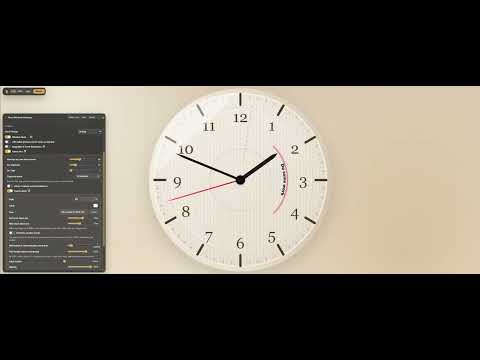
Shows visible Google or Outlook Calendar events as dynamic arches on a liquid glass clock.
Open source, completely local and private. Calendar Clock turns your Google Calendar schedule into an analog clock you can understand at a glance. Each event appears as a colored arc, helping you see what is happening now, what comes next, and how much time each event takes. Key features: - 12-hour and 24-hour clock modes - Multiple clock-face designs - Full and compact views - Adjustable time window and event layout - Works directly on Google Calendar - Keeps captured calendar data in your browser Open Google Calendar after installation and the clock appears directly on the page. Use the floating controls to switch views, choose a design, adjust the displayed time range, or hide the clock when you do not need it.
0 out of 5No ratings
Details
- Version0.1.23
- UpdatedSeptember 28, 2026
- Offered byMaxim Fomin
- Size556KiB
- LanguagesEnglish
- Developer
Email
forpphotos@gmail.com - Non-traderThis developer has not identified itself as a trader. For consumers in the European Union, please note that consumer rights do not apply to contracts between you and this developer.
Privacy

This developer declares that your data is
- Not being sold to third parties, outside of the approved use cases
- Not being used or transferred for purposes that are unrelated to the item's core functionality
- Not being used or transferred to determine creditworthiness or for lending purposes
Support
For help with questions, suggestions, or problems, please open this page on your desktop browser