

LunaNotes: YouTube Notes, Summary, Flashcards

Overview
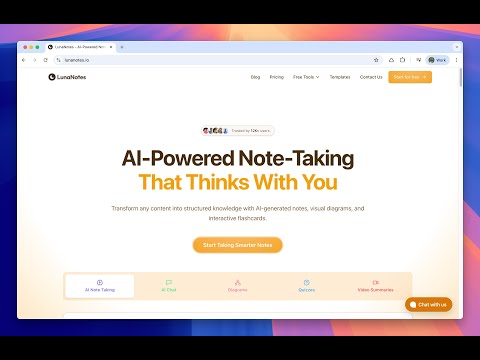
Timestamped notes, an AI summary and the transcript for any YouTube video. Study with flashcards, and save any page too.
AI notes, summaries & fact-checks for any YouTube video, one-click bookmarks to save & find any page later. 🌟 **Take AI notes on any YouTube video — and bookmark any page.** Summarize videos, fact-check claims, chat with AI, and save the whole web to one searchable library. LunaNotes is the AI-powered learning companion trusted by 12,000+ students, teachers, and professionals. On YouTube it opens a sidebar right next to the video; everywhere else, one click saves the page to your library — no tab-juggling, no lost links. **Why Choose LunaNotes?** 🎥 **Built for YouTube learning** - Open a sidebar directly on any YouTube video - Take timestamped notes — click any timestamp to jump back to that moment - See your notes plotted on a timeline under the player, click to seek - Browse and search the full video transcript - Auto-pause the video when you start typing - Capture a screenshot of the current frame into your note 🤖 **AI that understands your videos** - Chat with an AI assistant about the video you're watching - Get suggested questions generated from the transcript in one tap - One-click tools — Summary, Chapters, and Fact Check — free, no credits used - Select text in your notes and let AI improve, simplify, or fix it - Generate a full set of notes from any video automatically 🔖 **Bookmark the whole web, not just YouTube** - Save any page to your library with one click from the toolbar - Right-click to save a page or a link without leaving what you're doing - Organize bookmarks into collections and tags - Search everything you've saved from one place - Saves keep working offline and sync when you're back online 📝 **A note editor built for video** - Rich text with headings, lists, code blocks, tables & formatting - Auto-save and cloud sync across your devices - Organize with tags, favorites, sorting, and search - Start from templates for lectures, meetings, and study sessions 🚀 **Perfect For** - **Students** — organize lectures, capture key moments, build study materials - **Teachers** — plan lessons and gather resources across the web - **Professionals** — document training, save references, capture insights - **Content Creators** — research topics, collect sources, organize ideas 💡 **Everything You Need** ✓ Timestamped notes on any YouTube video ✓ Full video transcript with search ✓ AI chat about the video you're watching ✓ Free Summary, Chapters & Fact Check tools ✓ AI text editing inside your notes ✓ One-click bookmarking for any web page ✓ Collections, tags, favorites & search ✓ Cloud sync across devices ✓ Works on any YouTube video Open any note in the full LunaNotes app to go further — flashcards, diagrams, AI podcasts, quizzes, and export to PDF or Excel. Start taking smarter notes today — install LunaNotes and turn everything you watch and read into one organized, searchable library. For app updates and changes, visit our blog. **DISCLAIMER** This extension is NOT made by Google or YouTube. It is created by Fernando de la Rosa, @jfdelarosa on X. LunaNotes is not owned or licensed by, and is not an affiliate of, YouTube or Google Inc.
4.0 out of 569 ratings
Details
- Version4.8.1
- UpdatedOctober 23, 2026
- Size5.33MiB
- Languages14 languages
- DeveloperWebsite
Email
hola@jfdelarosa.dev - Non-traderThis developer has not identified itself as a trader. For consumers in the European Union, please note that consumer rights do not apply to contracts between you and this developer.
Privacy

LunaNotes: YouTube Notes, Summary, Flashcards has disclosed the following information regarding the collection and usage of your data. More detailed information can be found in the developer's privacy policy.
LunaNotes: YouTube Notes, Summary, Flashcards handles the following:
This developer declares that your data is
- Not being sold to third parties, outside of the approved use cases
- Not being used or transferred for purposes that are unrelated to the item's core functionality
- Not being used or transferred to determine creditworthiness or for lending purposes
Support
For help with questions, suggestions, or problems, please open this page on your desktop browser