


Overview
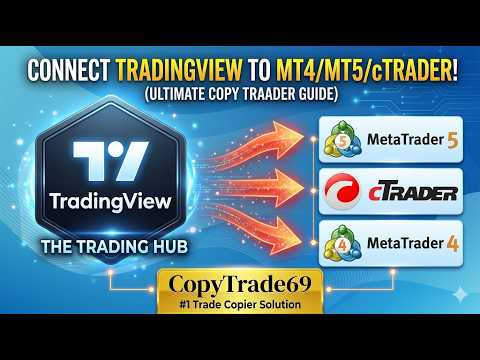
Instantly bridge TradingView trades to MT4, MT5, and cTrader accounts.
Make sure you are trading on Paper Trading. This extension is only created for copying from a paper trading account (DEMO). The paper trading account on TradingView uses netting for orders, but the extension converts them to hedging. Ensure all of your MT5, MT4 and cTrader accounts are set to hedge mode. CopyTrade69 is a powerful, lightweight extension designed for traders who want to execute their TradingView strategies directly on their preferred brokerage platforms. Eliminate manual entry errors and reduce execution latency by automating the bridge between your technical analysis and your trade execution. Key Features: Seamless Integration: Automatically detects and captures trade signals directly from the TradingView interface. Multi-Platform Support: Send trades to MetaTrader 4 (MT4), MetaTrader 5 (MT5) and cTrader simultaneously. Real-Time Execution: High-speed data processing ensures your trades are sent to the CopyTrade69 bridge with minimal delay. Secure & Private: Your credentials remain protected. The extension only interacts with TradingView and the official CopyTrade69 API. Developer Friendly: Built with Manifest V3 for optimal performance, security, and longevity. Why Choose CopyTrade69? TradingView is world-class for charting, but manual execution can lead to missed opportunities and slippage. This extension acts as the essential link, allowing you to turn TradingView orders on your MT4, MT5, cTrader and Telegram channels via the CopyTrade69 powerful dashboard. How It Works: 1. Install the CopyTrade69 extension from the Chrome Web Store. Click the extension, then either: 2. Log in with your CopyTrade69 account, or Click “You dont have account?” to register a new one. 3. In the web app, create a Master account and connect your MT4, MT5 or cTrader terminals (follow the on-screen setup). 4. Open TradingView, do your analysis and enable “sending” in the extension popup. 5. Place your trades on TradingView – the extension securely captures them and instantly sends them to your connected MT4, MT5, cTrader or accounts. Permissions Disclosure: To provide automation, this extension requires permission to access tradingview.com to detect trade signals and app.copytrade69.com to securely transmit those signals to your trading accounts. By using this extension, you agree to our Privacy Policy and Terms and Conditions, which you can view below: https://copytrade69.com/privacy-policy/ https://copytrade69.com/terms-and-conditions/
5 out of 54 ratings
Details
- Version4.1.10
- UpdatedJune 1, 2026
- FeaturesOffers in-app purchases
- Size188KiB
- LanguagesEnglish
- DeveloperWebsite
Email
rai198x@gmail.com - Non-traderThis developer has not identified itself as a trader. For consumers in the European Union, please note that consumer rights do not apply to contracts between you and this developer.
Privacy

TradingView to MT5, MT4, cTrader has disclosed the following information regarding the collection and usage of your data. More detailed information can be found in the developer's privacy policy.
TradingView to MT5, MT4, cTrader handles the following:
This developer declares that your data is
- Not being sold to third parties, outside of the approved use cases
- Not being used or transferred for purposes that are unrelated to the item's core functionality
- Not being used or transferred to determine creditworthiness or for lending purposes