

Odoo Dev Tools
5 ratings
)
Overview
Chrome extension for Odoo developers and consultants — field info, RPC monitor, view analysis, access rights
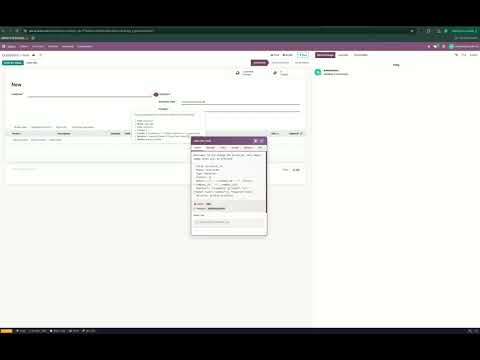
Chrome extension for Odoo developers and consultants — inspect fields, monitor RPC calls, analyze views and access rights directly in the browser. 🚀 FEATURES ★ Floating Info Panel (6 tabs) - General — Field tooltip, addon/module info, quick copy formats (Python path, domain, XML, ORM) - Technical — Field properties: store, compute, required, readonly, index, depends, related - Views — Base view + inherited views with XML preview - Access — Access rights table + record rules - Relations — Many2one / One2many / Many2many relationship map - RPC — Live RPC call monitor with slow/error highlighting ★ Info Bar Fixed bottom bar showing current model, action ID, menu ID, view type and record ID. Click any item to copy. ★ Popup Tools - Debug mode — Toggle ?debug=1 or ?debug=assets with one click - Quick navigation — Jump to any model or specific record by ID - Field export — Export all fields of a model as CSV or JSON - Technical shortcuts — One-click access to Models, Fields, Views, Actions, Menus, Access Rights, Rules, Modules 📖 HOW TO USE 1. Open any Odoo page in debug mode 2. Hover over a field's ? icon — the info panel appears 3. Use the bottom info bar for page-level info 4. Click the extension icon in the toolbar for popup tools 🔒 PRIVACY This extension does not collect or transmit any data. All processing happens locally in your browser. 💡 PERFECT FOR - Odoo developers debugging field issues - Consultants analyzing access rights - Teams monitoring RPC performance - Anyone working with Odoo backend development Made with ❤ by Quanimo
5 out of 55 ratings
Details
- Version2.2
- UpdatedMay 5, 2026
- Offered bydogukannn.42
- Size213KiB
- Languages2 languages
- DeveloperDoğukan Eren Özer
Karşıyaka Mahallesi 510. Sokak No:33 Emre Apt. Yenimahalle, Ankara 06190 TREmail
dogukannn.42@gmail.comPhone
+90 507 636 80 77 - TraderThis developer has identified itself as a trader per the definition from the European Union and committed to only offer products or services that comply with EU laws.
Privacy

This developer declares that your data is
- Not being sold to third parties, outside of the approved use cases
- Not being used or transferred for purposes that are unrelated to the item's core functionality
- Not being used or transferred to determine creditworthiness or for lending purposes