


Overview
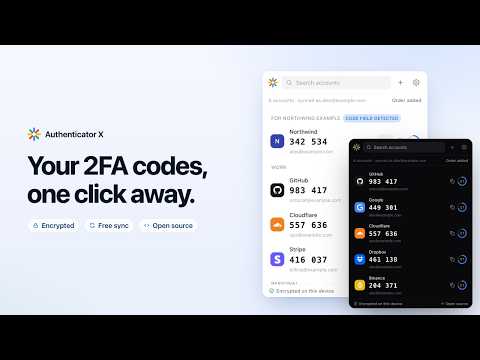
Encrypted 2FA authenticator. Scan a QR code, get your TOTP codes in one click. Optional sync, end-to-end encrypted.
Authenticator X generates the six-digit two-factor codes you need to sign in to GitHub, Google, your bank and anything else that supports authenticator apps. • Scan the QR code straight from the page you are setting up • Or point your camera at a code shown on your phone • Bring every account over from Google Authenticator — scan its export with your camera, or pick screenshots of it • Fill codes into a site with one click • New: just need one code? Paste a key and see it, without saving anything • New: optional sync between your browsers — end-to-end encrypted, and free • Encrypted backups you can restore anywhere • New: leave whenever you like — pick the app you are moving to and it shows the quickest way: Google Authenticator's own transfer codes, an Aegis or Bitwarden file, or one code after another for apps that import nothing in bulk Your secrets are encrypted on your own computer with AES-256-GCM. No account is needed, and without one nothing leaves your computer. If you turn on sync, everything is encrypted on your device before it is uploaded, with a key the server never receives: we store your codes but cannot read them. No ads, no analytics, no tracking. The extension asks for no access to websites: reading a QR code on a page or filling a code uses the browser's activeTab permission, granted only for the tab you open the extension on. The camera is switched on only when you ask to scan, and nothing it sees leaves your computer. Open source (GPL-3.0): https://github.com/brickitall/authenticator-x
0 out of 5No ratings
Details
- Version0.2.0
- UpdatedOctober 7, 2026
- Size433KiB
- LanguagesEnglish
- DeveloperBrick It All LLCWebsite
1001 S. Main St. STE 600 Kalispell, MT 59901 USEmail
brickitall.hi@gmail.com - Non-traderThis developer has not identified itself as a trader. For consumers in the European Union, please note that consumer rights do not apply to contracts between you and this developer.
Privacy

Authenticator X — 2FA Codes has disclosed the following information regarding the collection and usage of your data. More detailed information can be found in the developer's privacy policy.
Authenticator X — 2FA Codes handles the following:
This developer declares that your data is
- Not being sold to third parties, outside of the approved use cases
- Not being used or transferred for purposes that are unrelated to the item's core functionality
- Not being used or transferred to determine creditworthiness or for lending purposes
Support
For help with questions, suggestions, or problems, visit the developer's support site