


Overview
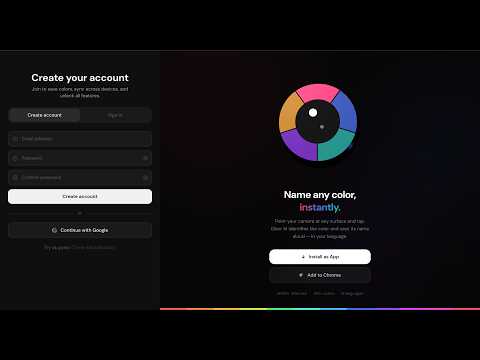
Pick any color on any webpage or uploaded image. Get the name, hex code, palette & WCAG contrast with spoken output.
Obor AI Color Identifier is a color accessibility and design tool for designers, developers, and anyone with color vision difficulties. HOW IT WORKS 1. Click "Pick Color" to activate a crosshair — hover over any element on the current page and click to identify its color instantly. 2. Click "Capture" to screenshot the current tab, then click anywhere on it to identify colors. 3. Click "Upload" to load any image from your device, then click to identify colors. WHAT YOU GET FOR EACH COLOR • Color name (e.g. "Dusty Rose", "Cobalt Blue") in your chosen language • Hex code — copy it to clipboard with one click • Color family and shade classification • Spoken pronunciation via text-to-speech (toggle auto-speak in Settings) ADDITIONAL FEATURES • Extract Palette — pulls the 6 dominant colors from any image using k-means clustering • WCAG Contrast Checker — pick two colors and see their contrast ratio with AA/AAA pass/fail badges • Color History — your last 50 identified colors, saved locally • Save Colors — bookmark favorites to your account (requires free sign-in) • Multi-language support for color names
0 out of 5No ratings
Details
- Version1.0.0
- UpdatedJune 20, 2026
- Size180KiB
- LanguagesEnglish
- DeveloperBullish Investments LimitedWebsite
22 Commercial Rd Lagos, Lagos 102272 NGEmail
bullishinvestmentslimited@gmail.com - Non-traderThis developer has not identified itself as a trader. For consumers in the European Union, please note that consumer rights do not apply to contracts between you and this developer.
Privacy

Obor AI has disclosed the following information regarding the collection and usage of your data. More detailed information can be found in the developer's privacy policy.
Obor AI handles the following:
This developer declares that your data is
- Not being sold to third parties, outside of the approved use cases
- Not being used or transferred for purposes that are unrelated to the item's core functionality
- Not being used or transferred to determine creditworthiness or for lending purposes
Support
For help with questions, suggestions, or problems, please open this page on your desktop browser