

Mivaan Pilgrim Form
9 ratings
)
Overview
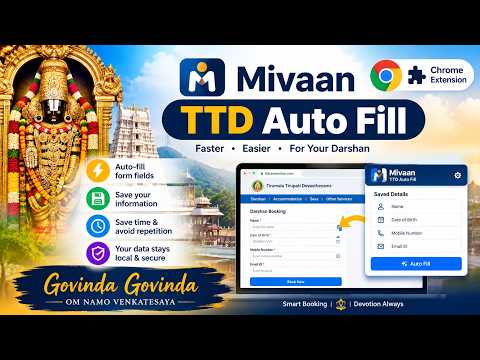
Auto fill TTD pilgrim booking forms in one click. Save family details once, autofill darshan, seva & accommodation.
Mivaan Pilgrim Form (formerly Mivaan TTD Auto Fill) fills pilgrim booking forms for you. Save each pilgrim’s name, age, gender, ID type and contact details once as a profile. The next time you open a supported booking page, choose the profile and Mivaan fills every field in one click. WHAT IT DOES • Fill Only: fills the pilgrim details on the current page and stops. • Fill & Auto Continue: fills the page, moves to the next step, fills again, and stops at the payment page. You review everything and pay yourself. • Profiles: keep separate profiles for family, parents, friends or office groups, each with its own service type. • Import: bring pilgrims in from a TXT, CSV or Excel file instead of typing them. • Keyboard shortcut: press Alt+A on a booking page to fill the selected profile. WORKS WITH • TTD online booking: Special Entry Darshan, Seva, Accommodation and Senior Citizen forms. PRIVACY • Your profiles are stored only in your browser. Nothing is uploaded to our servers. • No account or login is needed. • You can edit or delete a profile at any time. PREMIUM Installing is free. One payment of ₹99 unlocks both Fill Only and Fill & Auto Continue for 30 days, for all booking types. After paying, reopen the popup and Premium is activated automatically. WHAT IT DOES NOT DO • It does not buy tickets, make payments, or guarantee availability. • It does not solve or bypass CAPTCHA or OTP. You enter those yourself. Mivaan Pilgrim Form is an independent product. It is not affiliated with, endorsed by or connected to Tirumala Tirupati Devasthanams (TTD) or any other temple authority. The name is used only to describe which website the extension works with. Existing users of Mivaan TTD Auto Fill: this is the same extension with a new name; your saved profiles and Premium are unchanged. Support: mukhesh.mateti@gmail.com Website: https://mivaan.netlify.app
5 out of 59 ratings
Details
- Version9.9.11
- UpdatedNovember 17, 2026
- Size259KiB
- LanguagesEnglish
- Developer
Email
mukhesh.mateti@gmail.com - Non-traderThis developer has not identified itself as a trader. For consumers in the European Union, please note that consumer rights do not apply to contracts between you and this developer.
Privacy

Mivaan Pilgrim Form has disclosed the following information regarding the collection and usage of your data. More detailed information can be found in the developer's privacy policy.
Mivaan Pilgrim Form handles the following:
This developer declares that your data is
- Not being sold to third parties, outside of the approved use cases
- Not being used or transferred for purposes that are unrelated to the item's core functionality
- Not being used or transferred to determine creditworthiness or for lending purposes