

Hide My Web
7 ratings
)
Overview
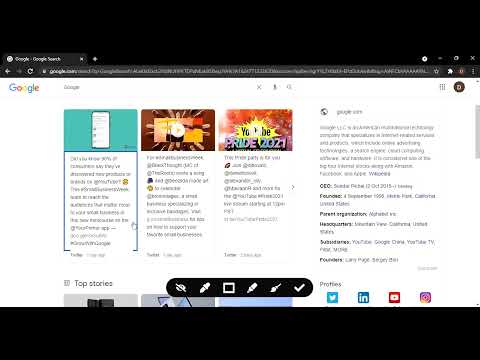
Hide, blur, and highlight elements of any webpage with a single click of mouse.
Hide My Web lets you instantly hide, blur, or highlight any element on a webpage — with a single click. What it does: Hide — Remove distracting or sensitive elements from view Blur — Redact content without fully removing it (great for screenshots and screen recordings) Highlight — Mark important sections with a custom color for quick reference Hide Title — Replace the browser tab title so others can't see what you're viewing Why install it: Privacy — Blur or hide personal info (emails, names, balances) before sharing your screen or taking screenshots Focus — Remove ads, banners, and distractions to concentrate on what matters Presentations — Clean up any webpage before a demo or recording No account needed — Works instantly with zero setup. Click the icon and start editing. Built-in tools: Full undo/redo support — never worry about making a mistake Reset button to restore the page to its original state Lightweight floating toolbar that stays out of your way Minimal permissions — only accesses the page you're actively editing. No data collection, no background tracking.
2.7 out of 57 ratings
Details
- Version1.0.4
- UpdatedMarch 15, 2026
- FeaturesOffers in-app purchases
- Offered byDivyanshu
- Size101KiB
- LanguagesEnglish (United States)
- Developer
Email
divyanshugour197@gmail.com - Non-traderThis developer has not identified itself as a trader. For consumers in the European Union, please note that consumer rights do not apply to contracts between you and this developer.
Privacy

This developer declares that your data is
- Not being sold to third parties, outside of the approved use cases
- Not being used or transferred for purposes that are unrelated to the item's core functionality
- Not being used or transferred to determine creditworthiness or for lending purposes
Support
For help with questions, suggestions, or problems, please open this page on your desktop browser