


Overview
Download Naukri applicant resumes to your computer, Google Drive, your ATS, or SafalHires AI summary.
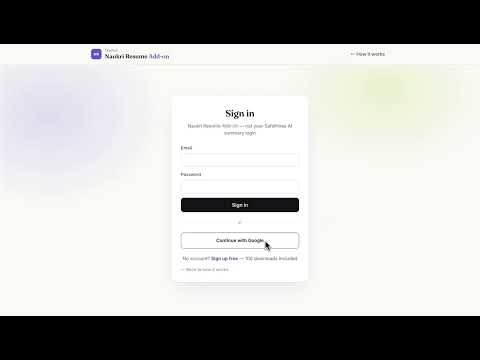
Naukri Resume Instant Downloader helps recruiters save new applicant resumes from Naukri Recruiter Applies pages — to this computer, Google Drive, your ATS webhook, or SafalHires AI summary. You stay logged into hiring.naukri.com as usual. We never ask for your Naukri password. Open a job’s Applies tab, connect with your API key, pick one destination, and press Start. People you already downloaded are skipped. Failed downloads return the credit. What you get • Save resumes to this computer (Downloads) • Google Drive: one folder per Naukri job • Other ATS: HTTPS webhook with the PDF and job details • SafalHires AI summary, if you connect an agency account • 100 free download credits on signup, then paid packs How to start 1. Create a free account at app.safalhires.com/addon 2. Install this extension 3. Paste your API key (starts with ADNK) and press Connect 4. On Applies, set Naukri’s Show menu to the biggest number, then press Start This product is for working recruiters using their own Naukri Recruiter login. It is not affiliated with or endorsed by Naukri or Info Edge. Support: support@safalhires.com Privacy: https://app.safalhires.com/addon/privacy
5 out of 53 ratings
Details
- Version1.0.20
- UpdatedSeptember 18, 2026
- Size50.04KiB
- LanguagesEnglish
- DeveloperWebsite
Email
support@safalhires.com - Non-traderThis developer has not identified itself as a trader. For consumers in the European Union, please note that consumer rights do not apply to contracts between you and this developer.
Privacy

Naukri Resume Instant Downloader has disclosed the following information regarding the collection and usage of your data. More detailed information can be found in the developer's privacy policy.
Naukri Resume Instant Downloader handles the following:
This developer declares that your data is
- Not being sold to third parties, outside of the approved use cases
- Not being used or transferred for purposes that are unrelated to the item's core functionality
- Not being used or transferred to determine creditworthiness or for lending purposes
Support
For help with questions, suggestions, or problems, please open this page on your desktop browser