


Overview
Transcribe what a page plays, caption and dub any video, record tabs and meetings, run broadcasts and train voices.
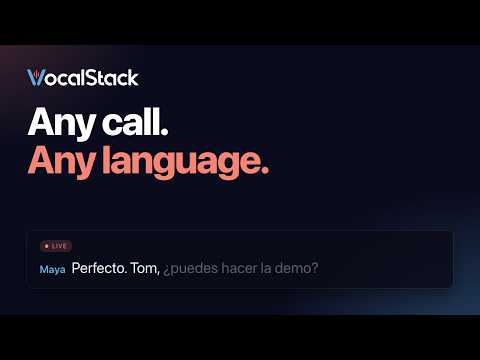
VocalStack turns what you hear in your browser into text, captions and voice. Transcribe anything a page plays Open the side panel on any page and VocalStack lists the audio and video on it, including media in embedded players. Pick one and get a full transcript with speakers and timestamps, ready to search, correct and export. You can also right-click a link or video and choose "Transcribe this link/video", or drop a file from your computer into the panel. Live captions on any video Turn on captions for a tab and VocalStack shows a live transcript over the page's video. Captions can be translated into another language as they appear. Dub the video you're watching Choose a language and voice, and VocalStack plays the video with a translated voice track kept in sync with the picture. Record tabs, your microphone and meetings Record a tab's audio, your microphone, or both, and watch the transcript build as people speak. In meeting mode, record a web meeting in Google Meet, Microsoft Teams or Zoom and get a transcript and summary when it ends. Run broadcasts Create and manage VocalStack broadcasts from the panel, and share live captions with your audience. Train a voice Record a short sample to create a voice of your own, for dubbing and other VocalStack features. Everything in one place Your recordings and transcriptions are in your VocalStack library, the same one you see on the web. Type "vs" and a search term in the address bar to find a transcription quickly. Keyboard shortcuts Alt+Shift+R records the current tab. Alt+Shift+C shows captions on the page. You need a VocalStack account. Sign in with your account, or paste an API key.
0 out of 5No ratings
Details
- Version0.1.62
- UpdatedNovember 3, 2026
- Size1.13MiB
- LanguagesEnglish
- DeveloperEtanova Enterprise Solutions LimitedWebsite
Mansion House, Manchester Road Altrincham Cheshire WA14 4RW GBEmail
support@vocalstack.comPhone
+44 7393 923088 - TraderThis developer has identified itself as a trader per the definition from the European Union and committed to only offer products or services that comply with EU laws.
- D-U-N-S223363457
Privacy

VocalStack has disclosed the following information regarding the collection and usage of your data. More detailed information can be found in the developer's privacy policy.
VocalStack handles the following:
This developer declares that your data is
- Not being sold to third parties, outside of the approved use cases
- Not being used or transferred for purposes that are unrelated to the item's core functionality
- Not being used or transferred to determine creditworthiness or for lending purposes