

Numen

Overview
Transform new tabs into a digital canvas with notes and to-do widgets
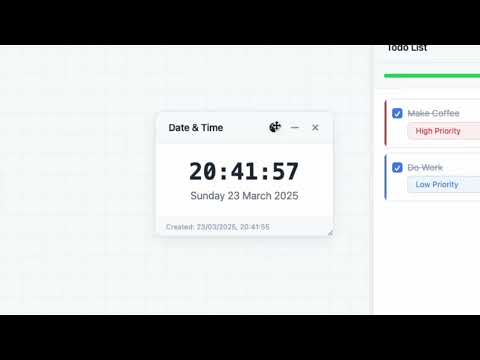
Numen New Tab transforms new tabs into a digital canvas with notes and to-do widgets. It provides an infinite canvas workspace where you can: - Create and organize notes for ideas and thoughts - Manage todo lists with priorities and due dates - Add and organize images - Use pomodoro timers for focused work sessions - Add date and time widgets - Customize the appearance with color options - Pan and zoom on an infinite canvas - Easily organize your digital space through intuitive drag and drop Perfect for organizing thoughts, planning projects, and maintaining a personalized spiritual workspace that appears every time you open a new tab.
0 out of 5No ratings
Details
- Version3.0
- UpdatedMarch 27, 2025
- Offered bypxl8.studio
- Size36.13KiB
- LanguagesEnglish
- Developer
Email
pxl8dotstudio@gmail.com - Non-traderThis developer has not identified itself as a trader. For consumers in the European Union, please note that consumer rights do not apply to contracts between you and this developer.
Privacy

This developer declares that your data is
- Not being sold to third parties, outside of the approved use cases
- Not being used or transferred for purposes that are unrelated to the item's core functionality
- Not being used or transferred to determine creditworthiness or for lending purposes
Support
For help with questions, suggestions, or problems, please open this page on your desktop browser