

ForLoop.cc AI powered development platform

Overview
Capture a website and plan development with the ForLoop planner agent.
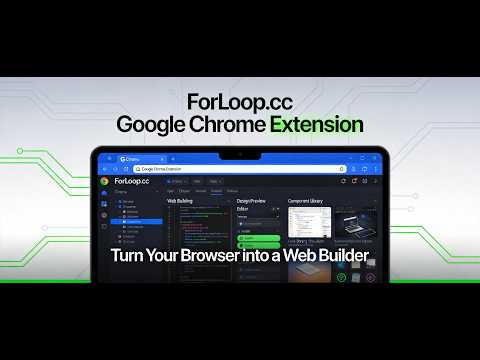
The ForLoop.cc AI development platform extension turns your browser side panel into an AI development workbench. Whether it's the website you're viewing, an idea, or a presentation request, one click hands off to the ForLoop AI Planner Agent, which produces a complete specification and development plan, provides visual design previews, breaks the work into concrete tasks, and has an AI developer agent actually build a usable web app. ---- Key features ---- 【Capture — one-click planning】 Click "Capture" on any webpage and the extension reads the page's content, sends it to the ForLoop AI planner, and automatically produces a website development plan based on that page — including requirements, feature list, and a development roadmap. 【Design Preview】 During planning, an AI designer agent first produces an interface design preview with a browsable design URL. You can request iterations until you're happy; development starts only after the design is approved, so the final product matches your expectations. 【PPT — presentation generation】 Click "PPT" to turn the current page into a slide-deck web app — outline, layout, and content are all produced by AI. 【Status — development progress】 Click "Status" anytime to ask the planner: "What's the current development status of this Space?" Completed tasks, work in progress, and next steps at a glance. 【Ask the Planner — free-form questions】 Not limited to buttons: type any question, such as "How should this feature be broken down?" or "What are the risks?" The planner executes in your project and streams the response in real time. ---- Getting started ---- Create a free ForLoop account at https://forloop.cc Go to Profile → API Tokens (forloop.cc/profile?tab=api-tokens) and create an API token with these scopes: organization:read, sprint:read, sprint:write, story:read, story:write, agent:query. Open the extension side panel, go to Settings, paste your API token, and click Save (Production environment is the default). Select an organization and a Space — or create a new one — and start planning. ---- Why you should install it ---- Minutes instead of days — traditional planning is fully automated, from webpage to development plan. Planning isn't just documents — results are converted into task cards automatically, and an AI developer agent writes real code and builds a working web app. See the design before code — get a design preview before development starts, iterate until it's right, and avoid rework. Track progress without leaving the browser — check any Space's live development status at any time. Free to install — start with just a ForLoop account and an API token. ---- Privacy & security ---- Your current tab's URL, title, and page text are only read when you click "Capture" or "PPT," and are sent to the ForLoop API to produce the plan; the extension never scrapes data in the background. Your API token is stored only locally in your browser (chrome.storage.local) and is never uploaded. A built-in Production/Dev environment switch makes testing easy for developers.
0 out of 5No ratings
Details
- Version1.0.1
- UpdatedAugust 24, 2026
- Offered byForLoop.cc
- Size40.42KiB
- Languages中文(中国)
- Developer
Email
support@forloop.cc - Non-traderThis developer has not identified itself as a trader. For consumers in the European Union, please note that consumer rights do not apply to contracts between you and this developer.
Privacy

ForLoop.cc AI powered development platform has disclosed the following information regarding the collection and usage of your data. More detailed information can be found in the developer's privacy policy.
ForLoop.cc AI powered development platform handles the following:
This developer declares that your data is
- Not being sold to third parties, outside of the approved use cases
- Not being used or transferred for purposes that are unrelated to the item's core functionality
- Not being used or transferred to determine creditworthiness or for lending purposes
Support
For help with questions, suggestions, or problems, visit the developer's support site