


Overview
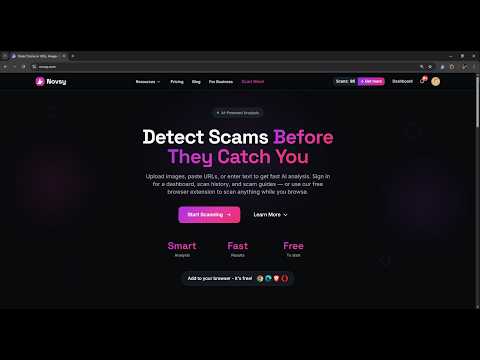
Detect scams before they catch you. Scan images, links, text, and page content for scams while you browse—all with one click.
Novsy AI helps you spot scams before you click, pay, or share. Scan images, links, text, and page content for scams while you browse—all with one click. 🛡️ What Novsy AI Does 🖼️ Images – Analyze screenshots, fake receipts, ad posts, QR codes, and scam images 🔗 Links – Check suspicious URLs and phishing links before you open them 📝 Text – Scan messages, emails, or text to check for scams and phishing 🌐 Web pages – Capture a full-page screenshot or drag to select an area and analyze it ✨ Features ✅ One-click scanning from the Novsy extension icon or right-click menu ✅ AI-powered scam detection with clear risk levels (Safe, Suspicious, Scam) ✅ Detailed reports with scam indicators, scam type, and "Learn more" guides ✅ Dashboard with stats, scan history, and a Scam Library ✅ Works on any website—no need to leave the page ✅ Sign in to save scans and unlock guides for each scam type you encounter 🎯 Who It's For • Anyone who gets suspicious links, images, or messages • People who want a second opinion before clicking or sharing • Users who want to learn about common scam patterns • Anyone who wants to stay safer online 🚀 How to Use 1. Install the Novsy AI — Scam Detector extension 2. Click the Novsy icon or right-click on a link, image, page, or selected text 3. Get an instant analysis with a clear risk level and explanation 4. Sign in to save scans and build your Scam Library Novsy AI – Your digital companion for staying safe online.
5 out of 52 ratings
Details
- Version1.3.0
- UpdatedMarch 29, 2026
- FeaturesOffers in-app purchases
- Size571KiB
- LanguagesEnglish (United States)
- DeveloperWebsite
Email
support@novsy.com - Non-traderThis developer has not identified itself as a trader. For consumers in the European Union, please note that consumer rights do not apply to contracts between you and this developer.
Privacy

Novsy AI — Scam Detector has disclosed the following information regarding the collection and usage of your data. More detailed information can be found in the developer's privacy policy.
Novsy AI — Scam Detector handles the following:
This developer declares that your data is
- Not being sold to third parties, outside of the approved use cases
- Not being used or transferred for purposes that are unrelated to the item's core functionality
- Not being used or transferred to determine creditworthiness or for lending purposes
Support
For help with questions, suggestions, or problems, please open this page on your desktop browser