

Notylus Web Clipper + Translit Pro Transliterator (Romaji Transliteration)

Overview
Clip web content and notes to Notylus. Type in YOUR language on any site with TranslitPro's transliterator & virtual keyboards.
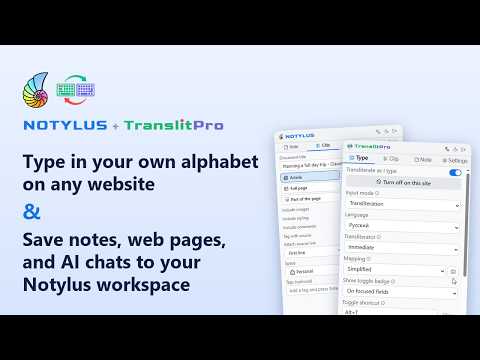
Type in your own alphabet on any website, and save notes and web pages to your Notylus workspace. TYPE (TranslitPro) Write in your own alphabet with an ordinary Latin keyboard. Type "privet" and get "привет" in any text box: email, chat, search, social media, documents. Switch on and off with Alt+T. Works without an account on up to 3 sites of your choice; TranslitPro Plus (or a Notylus Basic or Pro plan) turns it on everywhere, with per-site exclusions. Ready to use: Russian, Ukrainian, Belarusian, Bulgarian, Serbian, Greek, Hebrew, Armenian, Georgian, Kazakh, Tajik, Lithuanian and Rusyn. Any other language: the Mapping editor shows the alphabet of 300+ languages (Thai, Hindi, Arabic, Persian, Amharic, Tamil, Japanese kana, Polish, Yoruba and many more) next to a picture of your own keyboard. Suggest keys gives every letter a common romanization; change any of them, add key combos like Alt+E, try it, and save it as your own language. Your mappings and languages sync with app.translitpro.com and app.notylus.net. NOTE and CLIP (Notylus) Write a quick note from the toolbar, with the same transliteration. Clip the article you are reading, your selection, or a part of the page you pick, and it lands in your Notylus workspace with its source link, folder, space and tags. Right-click to save a selection or a whole article without opening the popup. The web clipper also saves AI chatbot sessions: clip a whole conversation from Claude, ChatGPT, Gemini or Perplexity, with its code blocks, formulas and images, and keep it next to the rest of your notes. SIGN IN Use the same account as app.notylus.net and app.translitpro.com. If you are signed in there, the extension signs itself in. Continue with Google and email/password sign-in also work. Signing out of the website signs the extension out too. PRIVACY Transliteration happens on your computer; what you type is never sent anywhere. Page content is only read and sent when you choose to save a note or clip, and it goes to your own Notylus account. No ads, no tracking, no selling of data. The popup is available in 33 languages. Support: https://app.notylus.net
0 out of 5No ratings
Details
- Version1.1.3
- UpdatedOctober 19, 2026
- FeaturesOffers in-app purchases
- Offered byNotylus
- Size523KiB
- Languages29 languages
- Developer5am Works LLC
5900 Balcones Drive STE 100 Austin, TX 78731 USEmail
support@notylus.netPhone
+1 512-964-1155 - TraderThis developer has identified itself as a trader per the definition from the European Union and committed to only offer products or services that comply with EU laws.
- D-U-N-S141946191
Privacy

Notylus Web Clipper + Translit Pro Transliterator (Romaji Transliteration) has disclosed the following information regarding the collection and usage of your data. More detailed information can be found in the developer's privacy policy.
Notylus Web Clipper + Translit Pro Transliterator (Romaji Transliteration) handles the following:
This developer declares that your data is
- Not being sold to third parties, outside of the approved use cases
- Not being used or transferred for purposes that are unrelated to the item's core functionality
- Not being used or transferred to determine creditworthiness or for lending purposes
Support
For help with questions, suggestions, or problems, visit the developer's support site