

Document AI Translator - Side-by-side Translate PDF, Google Docs, Notion

Overview
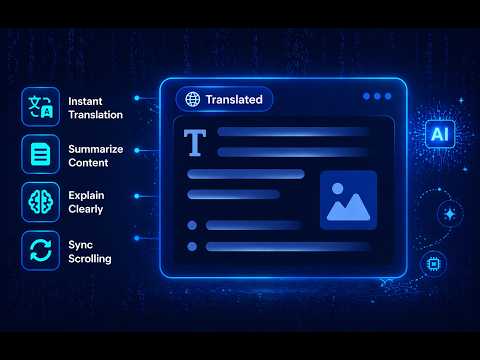
Show a live translated view of PDF, Google Docs, and Notion pages side-by-side with the original, preserving layout and scroll sync.
🚀 Getting Started PDF: Translate PDF files opened in Chrome with a side-by-side translated view, making it easier to read foreign-language documents without switching tabs or copying text manually. Google Drive & Google Docs: Translate PDF files and Google Docs (.docx) directly within Drive or Docs. The extension displays a side-by-side translated view while preserving the original layout as closely as possible. Notion: When opening a Notion page, the extension automatically generates a translated version alongside the original. The layout and structure are preserved by cloning and translating visible content directly in the browser. ✨ Key features: ● Automatic translation when opening supported pages ● Side-by-side split view showing both original and translated content and preserving layout by cloning the page DOM structure ● Built-in AI Summarization for quick content overview ● Built-in AI Explanation to simplify and clarify complex content ● Optional synchronized scrolling between original and translated views ● Manual refresh button to update translations when the page content changes ● Supported websites include: drive.google.com, docs.google.com, notion.com, notion.site and PDF (.pdf) links opened in Chrome. ● Supports translation in 50 languages 🔐 Privacy & Data Usage The extension does not modify or save document content. All processing happens locally in the browser, and translation requests are only made to perform the user-visible translation feature. Feedback: https://documenttranslator.thegioigiandon.com/feedback
5 out of 52 ratings
Details
- Version1.3.5
- UpdatedSeptember 10, 2026
- Size489KiB
- Languages7 languages
- Developer
- TraderThis developer has identified itself as a trader per the definition from the European Union and committed to only offer products or services that comply with EU laws.
Privacy

Document AI Translator - Side-by-side Translate PDF, Google Docs, Notion has disclosed the following information regarding the collection and usage of your data. More detailed information can be found in the developer's privacy policy.
Document AI Translator - Side-by-side Translate PDF, Google Docs, Notion handles the following:
This developer declares that your data is
- Not being sold to third parties, outside of the approved use cases
- Not being used or transferred for purposes that are unrelated to the item's core functionality
- Not being used or transferred to determine creditworthiness or for lending purposes
Support
For help with questions, suggestions, or problems, please open this page on your desktop browser