「Notion AI Bridge:匯出與提示詞」的項目標誌圖片

Notion AI Bridge:匯出與提示詞

5.0(

4 個評分

)
Notion AI Bridge:匯出與提示詞的項目媒體 4 (螢幕截圖)
Notion AI Bridge:匯出與提示詞的項目媒體 5 (螢幕截圖)
商品影片縮圖
Notion AI Bridge:匯出與提示詞的項目媒體 2 (螢幕截圖)
Notion AI Bridge:匯出與提示詞的項目媒體 3 (螢幕截圖)
Notion AI Bridge:匯出與提示詞的項目媒體 4 (螢幕截圖)
Notion AI Bridge:匯出與提示詞的項目媒體 5 (螢幕截圖)
商品影片縮圖
Notion AI Bridge:匯出與提示詞的項目媒體 2 (螢幕截圖)
商品影片縮圖
Notion AI Bridge:匯出與提示詞的項目媒體 2 (螢幕截圖)
Notion AI Bridge:匯出與提示詞的項目媒體 3 (螢幕截圖)
Notion AI Bridge:匯出與提示詞的項目媒體 4 (螢幕截圖)
Notion AI Bridge:匯出與提示詞的項目媒體 5 (螢幕截圖)

總覽

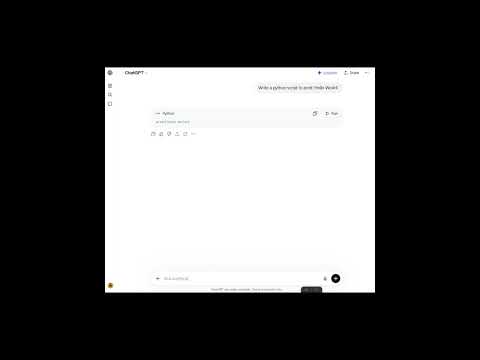
無縫將 AI 聊天紀錄(ChatGPT、Gemini、Claude、Perplexity、DeepSeek)匯出至 Notion,並輕鬆匯入可重複使用的提示詞。

不再遺失精彩的 AI 回覆,告別重複輸入提示詞!連接 AI 聊天與 Notion 的終極橋樑。 是否曾經得到完美的 AI 回覆,卻在漫長的聊天紀錄中再也找不到?或是厭倦了每次都要輸入相同的背景資訊和指令?Notion AI Bridge 立即解決你工作流中最大的瓶頸。 專為開發者、創作者與重度生產力用戶設計,這款擴充功能將是你最強大的雙向同步工作區助手。 🌟 核心功能 🎯 智慧匯出(儲存至 Notion) 單擊匯出:一鍵將 ChatGPT 或 Google Gemini 的問答精準儲存到 Notion 資料庫,再也不必手動複製貼上。 長按 (1.5秒):長按匯出按鈕 1.5 秒,即可自動往下捲動並一次擷取完整的對話紀錄! 📥 提示詞匯入器 直接在 AI 聊天視窗內存取你專屬的 Notion 提示詞庫。一鍵搜尋並插入你最愛的模板。 ⌨️ 標準鍵盤快捷鍵(快速指令) 直接在聊天框內輸入指令,完全省去點擊步驟: /e : 匯出單次對話 /e@ : 匯出完整對話 /p : 開啟提示詞搜尋 🎨 完美保留排版格式 表格與圖片:乾淨、易讀的表格和內聯圖表皆會完整保留。 程式碼區塊與數學公式:在 Notion 中完美呈現語法高亮 (Syntax highlighting) 與 LaTeX 數學公式。 巢狀清單:Markdown 結構與縮排保持完美原貌。 🔒 100% 隱私優先 你的資料全數在瀏覽器本地處理,並直接發送至 Notion API。我們絕不儲存、收集或上傳你的任何對話內容。 ⚡ PRO 專業版功能 🌐 跨平台支援:全面支援 Claude、Perplexity 與 DeepSeek,將你所有的 LLM 知識集中在同一個 Notion 工作區。 🏷️ 進階標籤系統:透過彈出視窗新增自訂標籤,或直接在聊天框內使用進階快捷鍵 (/e:標籤 或 /e@:標籤),讓資料庫在匯出當下就保持完美整潔。 ✨ 變數自動填入:將靜態提示詞轉化為可重複使用的模組。在模板中使用 {{變數名稱}},插入時將自動彈出互動式輸入框,填妥後再送出至聊天視窗。 🛠️ v2.3.0 最新更新 擴增多國語系支援: 全新加入簡體中文、德語與西班牙語。擴充功能現在支援共 7 種語言,讓世界各地的使用者都能在最熟悉的母語環境下打造 AI 工作流。 新增官方支援與回饋中心: 擴充功能介面現已內建「聯絡開發者」專屬連結。無論是提交功能建議、回報系統問題,或分享您的產品使用體驗,現在都能透過此快捷通道與我們直接聯繫,協助我們持續優化產品。 本擴充功能由 Elie Labs 開發與維護。

5 分 (滿分 5 分)4 個評分

進一步瞭解結果與評論。

詳細資料

  • 版本
    2.3.0
  • 已更新
    2026年7月28日
  • 提供者
    elielabs
  • 大小
    536KiB
  • 語言
    7 種語言
  • 開發人員
    電子郵件
    elielabs.service@gmail.com
  • 非交易商
    這位開發人員並未表明自己是交易商。歐盟地區的消費者請注意,消費者權利不適用於你和這位開發人員之間簽訂的合約。

隱私權

管理擴充功能,並瞭解貴機構的擴充功能使用情形
開發者已表示這項商品不會蒐集或使用你的資料。 詳情請參閱開發人員的《privacy policy》。

這位開發者就你的資料做出下列聲明:

  • 除經核准的用途外,不會將你的資料販售給第三方
  • 不會基於與商品核心功能無關的目的,使用或轉移資料
  • 不會為了確認信用度或基於貸款目的,使用或轉移資料

支援

如有疑問或建議,請前往開發人員的支援網站

相關項目

Notion Cover

5.0

A Notion Cover to generator a cover for Notion note cover or the others cover.

NotionSync: YouTube-to-Notion summaries & transcripts in one click.

3.4

Turn YouTube videos into organized Notion notes - summarize & export transcripts for free.

Pactify: ChatGPT Exporter & Notion Sync

5.0

Export ChatGPT and other AI chats to Markdown, DOCX, PDF, Google Drive, or Notion. Auto-sync keeps ongoing chats in Notion.

Notion Tools

5.0

Make your Notion experience a little bit better with some QOL including colored headings, folded sidebar buttons and more.

Notion Sidebar Tamer

5.0

Disable the hover sidebar in Notion.

Note Graph - Notion 知識圖譜

5.0

本地優先的 Notion 圖譜視圖:快速發現關聯、孤立頁與結構。

儲存 ChatGPT 到 Notion

4.5

一鍵將 ChatGPT 對話儲存到 Notion。批量匯出 ChatGPT 對話

Dictionary to Notion

5.0

Look up any word with a simple double click and sync to Notion.

AISaver: ChatGPT 匯出器 - 批量儲存到 Notion 和 Markdown

5.0

批量儲存 ChatGPT 對話。即時匯出到 Notion、Obsidian、PDF 和 Markdown。

AI Chat Backup: ChatGPT to Notion, Obsidian & Markdown

4.3

從熱門 AI 平台匯出和備份對話。儲存為 Markdown、匯出到 Obsidian 資料夾,或同步到 Notion,方便整理和存取。

備份匯出 Claude AI 到 Notion

4.7

一鍵備份匯出 Claude AI 對話到 Notion。批量備份同步 Claude AI 對話記錄

AI Chat to Notion

5.0

Export AI chats onto your Notion pages or databases with Notion blocks formatting. Supports ChatGPT, Claude, Gemini & Perplexity.

Notion Cover

5.0

A Notion Cover to generator a cover for Notion note cover or the others cover.

NotionSync: YouTube-to-Notion summaries & transcripts in one click.

3.4

Turn YouTube videos into organized Notion notes - summarize & export transcripts for free.

Pactify: ChatGPT Exporter & Notion Sync

5.0

Export ChatGPT and other AI chats to Markdown, DOCX, PDF, Google Drive, or Notion. Auto-sync keeps ongoing chats in Notion.

Notion Tools

5.0

Make your Notion experience a little bit better with some QOL including colored headings, folded sidebar buttons and more.

Notion Sidebar Tamer

5.0

Disable the hover sidebar in Notion.

Note Graph - Notion 知識圖譜

5.0

本地優先的 Notion 圖譜視圖:快速發現關聯、孤立頁與結構。

儲存 ChatGPT 到 Notion

4.5

一鍵將 ChatGPT 對話儲存到 Notion。批量匯出 ChatGPT 對話

Dictionary to Notion

5.0

Look up any word with a simple double click and sync to Notion.

搜尋
清除搜尋內容
關閉搜尋
Google 應用程式
主選單