


Overview
AI copilot for Notion: summarize and edit pages, update databases, search and organize your workspace. No subscription needed.
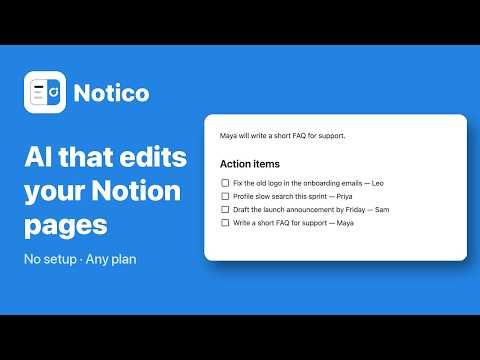
Ask Notion anything, right next to your page. Notico is an AI copilot in Chrome's side panel that doesn't just chat: it reads, writes, and organizes your Notion pages and databases for you, and shows you every change it makes. ⚡ Nothing to set up: no integration, no API token. Open the panel and ask. 🆓 Works on any Notion plan, Free included. Free credits every week, then pay only for what you use. No subscription. 🌐 Brings in the web: save an article, a link, or a web search straight to Notion. 🔓 Open source, and our server keeps nothing you ask or read. WRITE AND EDIT • Draft pages, add sections, and turn rough notes into action items. • Select text and ask to rewrite it, shorten it, or change its tone. WORK WITH DATABASES • Filter, sort, add rows, and fill in properties. • Add, rename, or remove properties and options. • Ask "Which tasks are overdue? Comment on each one." and it's done. FIND AND ORGANIZE • Search your workspace and read what it finds, comments included. • Move or duplicate pages, or move them to the trash (it always asks first). • Comment on pages and mention teammates. BRING IN THE WEB • Ask about the page you're on, a link, or several open tabs at once. • Search the web, with the sources named. • Right-click selected text on any page and pick "Ask Notico". • Notico reads a site in your tabs only after you allow it. THINGS TO TRY • "Summarize this page in five bullet points." • "Turn the notes on this page into action items, with an owner for each." • "Find our onboarding docs and tell me what's out of date." • On an article: "Save the key points of this page to my Reading notes." HOW IT WORKS Notico works in your own Notion tab, as you: it reaches what you can reach, and nothing else. Sign in once with Google or your email. The panel keeps your chat as you switch tabs, and past chats are saved on your device. CREDITS Each question spends credits. Every account gets free credits each week; when you need more, buy a one-time pack in the panel: no subscription, and bought credits last a year. Have your own API key? Bring it through OpenRouter, and the model is paid by your key instead. Web searches and pages rendered for you still spend credits. PRIVACY Your questions, and what Notico reads to answer them (Notion content, web pages, and web searches, which may include text from your Notion pages), go to our server and the AI model, or straight to OpenRouter if you use your own model; links and searches go through our server either way. We don't keep that content, only usage numbers and your purchases. Notico reports which features are used, never what you write or read, and you can turn that off in the settings. No ads. AI can make mistakes, so check what matters. Every change shows in the panel, and Notion's page history can undo it. Source code and privacy policy: https://github.com/cofun-labs/cofun Notico is an independent project, not made or endorsed by Notion.
0 out of 5No ratings
Details
- Version0.3.0
- UpdatedNovember 19, 2026
- FeaturesOffers in-app purchases
- Size1.89MiB
- LanguagesEnglish
- DeveloperWebsite
Email
fankaidev@gmail.com - Non-traderThis developer has not identified itself as a trader. For consumers in the European Union, please note that consumer rights do not apply to contracts between you and this developer.
Privacy

Notico: AI copilot for Notion has disclosed the following information regarding the collection and usage of your data. More detailed information can be found in the developer's privacy policy.
Notico: AI copilot for Notion handles the following:
This developer declares that your data is
- Not being sold to third parties, outside of the approved use cases
- Not being used or transferred for purposes that are unrelated to the item's core functionality
- Not being used or transferred to determine creditworthiness or for lending purposes
Support
For help with questions, suggestions, or problems, visit the developer's support site