

NoteStack — Substack Analytics & AI-Powered Scheduler

Overview
See which Substack Notes bring subscribers, schedule Notes and write with AI. Free tools: save posts as PDF, download podcasts.
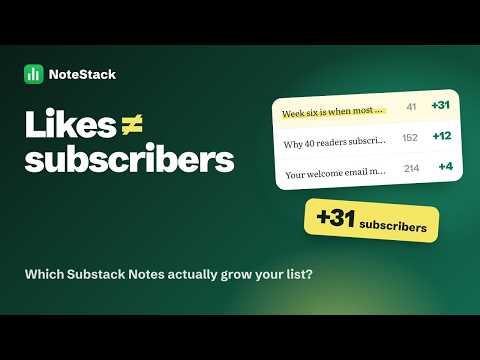
See which of your Substack Notes actually bring subscribers. NoteStack is a Chrome extension for Substack writers. It ranks every Note by the subscribers it brought, shows when your readers are online, schedules your next Notes, and drafts new ones in your voice. Every install also includes free tools for saving, searching and exporting Substack posts. FREE — NO PLAN NEEDED Analytics • Notes dashboard: every Note with likes, restacks, comments and subscribers gained • Best time to post heatmap and posting-streak calendar • Note DNA, Performance Map, trends and insights: which kinds of Notes work for you • Viral Note alerts when a Note beats your usual numbers • CSV export, backup and restore Tools for every Substack post • Save any post as PDF, Markdown, HTML or JSON • Listen to a post, or summarize and translate it with Chrome's on-device AI • Download a post's podcast audio or video • Search a whole newsletter's archive and export posts in bulk (ZIP or one combined PDF) • Move your posts to Ghost, Beehiiv or Kit: export in Substack's own format or as a Ghost import file Safety and focus • Never lose an unsent Note: autosave with one-click restore in the Note composer and replies • Hide engagement-bait threads and muted words; close subscribe pop-ups; focus mode for your feed • A warning when a brand-new or empty account messages you And more • Replies and mentions as a to-do list • Profile audit: score any Substack profile out of 100 • Subscriber chat export • Table and contents tools in the Substack post editor • AI prompt templates for ChatGPT and Claude STARTER — $8/month or $60/year, 7-day free trial • Subscriber Sources: which Notes and posts bring free and paid subscribers, and from where • Copy watch: find Notes that copy yours word for word, with evidence ready to report • Spy Mode: research any public Substack profile (30 profiles a month) • Schedule Notes, one at a time or in bulk (7 new Notes a month). They post through Substack's own scheduler, even when Chrome is closed • Evergreen reposts of your best Notes • Post Coach: content-gap and streak nudges, goals, and instant draft scoring • Media kit: a sponsor-ready PDF built from your numbers PRO — $12/month or $99/year Everything in Starter with no monthly limits, plus: • Ghostwriter: AI drafts new Notes in your own voice, learned from your best Notes • AI drafts from any template, right inside NoteStack • AI Post Coach: one concrete suggestion for what to post next, from your own data • AI draft scoring and rewrites before you publish • AI flop diagnosis: why a Note underperformed • Unlimited scheduling and unlimited Spy Mode Cancel anytime. Terms of sale and the refund policy are on our website. HOW IT WORKS 1. Sign in to substack.com in Chrome 2. Open NoteStack from the toolbar 3. Your Notes load automatically. No setup and no extra account. YOUR DATA • Your Notes, stats and settings are stored in your browser (IndexedDB), not on our servers. • AI features send the text you choose to our relay server, which passes it to an AI provider (Google Gemini, OpenRouter or Anthropic) to write the response. Free AI tiers may use submitted text to improve their models, so don't use the AI features on text you want to keep private. • Subscriptions: we store a license record and your Substack user ID to manage your plan and AI usage limits. • Anonymous usage statistics (which features are used, never your Notes or profile) help us improve NoteStack. Turn them off anytime in Settings. • No ads, no fingerprinting, no selling data. Full privacy policy: https://notestack.stacktreelabs.com/privacy/ ABOUT NoteStack is an independent product, not affiliated with, endorsed by, or sponsored by Substack. Subscriptions are sold through Polar, our merchant of record.
4 out of 51 rating
Details
- Version1.10.0
- UpdatedNovember 19, 2026
- FeaturesOffers in-app purchases
- Size729KiB
- LanguagesEnglish
- DeveloperMuhammad UsamaWebsite
1/23 Sector 11-F New Karachi Karachi 75000 PKEmail
musaama0@gmail.comPhone
+92 310 4205054 - TraderThis developer has identified itself as a trader per the definition from the European Union and committed to only offer products or services that comply with EU laws.
Privacy

NoteStack — Substack Analytics & AI-Powered Scheduler has disclosed the following information regarding the collection and usage of your data. More detailed information can be found in the developer's privacy policy.
NoteStack — Substack Analytics & AI-Powered Scheduler handles the following:
This developer declares that your data is
- Not being sold to third parties, outside of the approved use cases
- Not being used or transferred for purposes that are unrelated to the item's core functionality
- Not being used or transferred to determine creditworthiness or for lending purposes
Support
For help with questions, suggestions, or problems, visit the developer's support site