Item logo image for Notes Enhancer for TUF - textPerfect

Notes Enhancer for TUF - textPerfect

5.0(

2 ratings

)
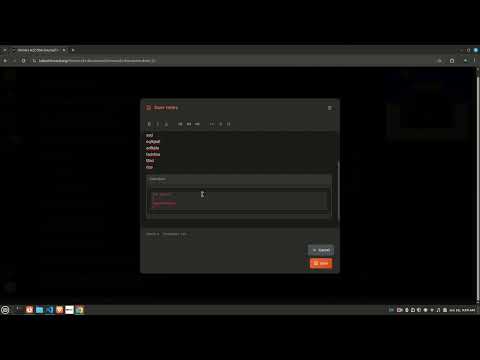
Item media 5 (screenshot) for Notes Enhancer for TUF - textPerfect
Item video thumbnail
Item media 2 (screenshot) for Notes Enhancer for TUF - textPerfect
Item media 3 (screenshot) for Notes Enhancer for TUF - textPerfect
Item media 4 (screenshot) for Notes Enhancer for TUF - textPerfect
Item media 5 (screenshot) for Notes Enhancer for TUF - textPerfect
Item video thumbnail
Item media 2 (screenshot) for Notes Enhancer for TUF - textPerfect
Item media 3 (screenshot) for Notes Enhancer for TUF - textPerfect
Item media 4 (screenshot) for Notes Enhancer for TUF - textPerfect
Item media 5 (screenshot) for Notes Enhancer for TUF - textPerfect

Overview

Rich text editor for all your note section in takeuforward.org

TextPerfect is a browser extension designed to enhance the note-taking capabilities on TakeUForward.org. While TakeUForward serves as an excellent resource for learning data structures and algorithms, its native notes section offers limited formatting options. TextPerfect addresses this limitation by providing users with a comprehensive markdown-based editor. Key Features: ->Seamless integration with TakeUForward's existing notes system ->Rich text formatting including bold, italics, underline, and headers (H1-H3) ->Code block support for algorithm implementations ->List formatting for structured note organization ->Markdown language compatibility for universal formatting standards How it works: ->Download and install the TextPerfect extension ->Navigate to the TakeUForward website ->Click on the extension to verify page compatibility (displays "supported" status) ->Access any resource and open the notes section ->Click on the notes interface to activate the enhanced editor ->Utilize TextPerfect's markdown editor with full formatting capabilities ->Notes are automatically stored in markdown format and rendered through the enhanced interface The extension streamlines the learning process by allowing students to create well-structured, formatted notes that better reflect the complexity of data structures and algorithms concepts. By supporting markdown syntax, TextPerfect ensures that notes remain portable and can be easily shared or exported for future reference. This tool particularly benefits learners who prefer detailed documentation of their problem-solving approaches and algorithmic thinking processes.

Details

  • Version
    1.1.5
  • Updated
    July 1, 2025
  • Offered by
    prathamsharda
  • Size
    28.05KiB
  • Languages
    English
  • Developer
    Email
    starting2code@gmail.com
  • Non-trader
    This developer has not identified itself as a trader. For consumers in the European Union, please note that consumer rights do not apply to contracts between you and this developer.

Privacy

The developer has disclosed that it will not collect or use your data.

This developer declares that your data is

  • Not being sold to third parties, outside of the approved use cases
  • Not being used or transferred for purposes that are unrelated to the item's core functionality
  • Not being used or transferred to determine creditworthiness or for lending purposes

Related

Online Notepad

5.0

Simple Notepad for text editing, making notes, memos, or just any plain text content.

Easy Text Change

1.0

Easily edit text on any webpage with a simple right-click.

Uppercase & Lowercase Converter

5.0

Convert all text to uppercase as well as to lowercase & also capitalizes all sentence on a webpage

Typing.com Full Paragraph Collector

5.0

Collects all lesson words and reconstructs the paragraph.

Floating Web Notes

2.8

Attach text notes to web pages

Text Editor

4.7

Plain Text Editor: a simple online notepad to quickly edit the text, jot bloc note and make txt file effortlessly.

Notepad++ online

2.5

Text and source code editor for use in Win platforms

Notepad online

0.0

Notepadonline.co is a free online notepad website to create online notes, save notes, text edit, find and replace word,etc.

Online Notepad

2.0

Use Online Notepad to write and save your notes, edit any text in an online text editor, making rapid notes and memos easily.

LibreOffice writer online

4.5

Create and edit documents with a word processing application for rich text formatting

Advanced Notepad

4.3

Simple Notepad yet filled with rich features. Format text, create multiple notes, autosave, remote backup. Faster than ever.

Online Text Editor Like Notepad & Wordpad

4.0

Best and free online text editor like notepad, wordpad and word editor to write your text while browsing multiple tabs on web.

Online Notepad

5.0

Simple Notepad for text editing, making notes, memos, or just any plain text content.

Easy Text Change

1.0

Easily edit text on any webpage with a simple right-click.

Uppercase & Lowercase Converter

5.0

Convert all text to uppercase as well as to lowercase & also capitalizes all sentence on a webpage

Typing.com Full Paragraph Collector

5.0

Collects all lesson words and reconstructs the paragraph.

Floating Web Notes

2.8

Attach text notes to web pages

Text Editor

4.7

Plain Text Editor: a simple online notepad to quickly edit the text, jot bloc note and make txt file effortlessly.

Notepad++ online

2.5

Text and source code editor for use in Win platforms

Notepad online

0.0

Notepadonline.co is a free online notepad website to create online notes, save notes, text edit, find and replace word,etc.

Google apps