

NotebookLM Shortcut Effective Extension

概要
安全な送信、Vim風スクロール、モデル切り替え、一時チャット、そしてNotebookLM向けのクリーンなUI。
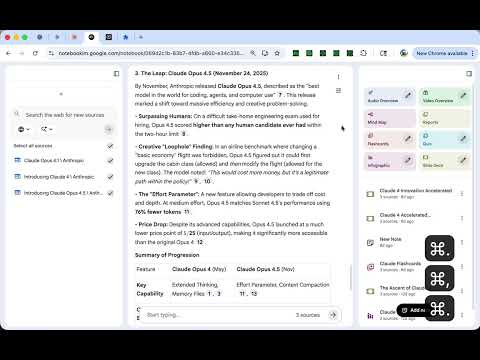
Enhance your NotebookLM experience with keyboard shortcuts and UI tweaks. Features: - Safe Send Mode: Press Enter for a new line. Use Cmd/Ctrl+Enter to send your message. No more accidental sends. - Vim-like Scroll: Navigate chat history with j/k keys. Use Shift+J/K for half-page scrolling, Cmd/Ctrl+J/K to jump to top or bottom. - Omnibar Toggle: Press Shift+Space to show or hide the input bar. Keeps your workspace clean. - Add Sources: Quickly open the Add Source dialog with Cmd/Ctrl+U. - Delete Chat History: Clear conversations with Cmd/Ctrl+Shift+Delete (wide screen). - Sidebar Toggles: Switch left or right panels with Cmd/Ctrl+, and Cmd/Ctrl+. on wide screens, or navigate tabs on smaller screens. - Toggle Header: Hide or show the header bar with Cmd/Ctrl+Shift+S. - Shortcut Help: Press Cmd/Ctrl+/ anytime to see all available shortcuts. - Custom Shortcuts: Remap any shortcut via the popup settings. All settings are stored locally in Chrome sync storage. No data leaves your browser. No tracking, no external server calls. Works exclusively on notebooklm.google.com and requires only your existing Google sign-in. Open source: https://github.com/gakkunn/Ex-Chrome-NotebookLM
5 点満点で 0評価なし
詳細
- バージョン1.2.0
- 更新:2026年1月21日
- 提供元yoshi
- サイズ1.25MiB
- 言語10 言語
- デベロッパー
メール
yoshi.apps.contact@gmail.com - 非取引業者このデベロッパーは取引業者として申告していません。EU 加盟国の消費者とこのデベロッパーとの間に締結された契約には、消費者の権利が適用されません。
プライバシー

このデベロッパーは、お客様のデータについて以下を宣言しています
- 承認されている以外の用途で第三者に販売しないこと
- アイテムの中心機能と関係のない目的で使用または転送しないこと
- 信用力を判断する目的または融資目的で使用または転送しないこと