

NotebookLM Quiz to Google Form Exporter

Overview
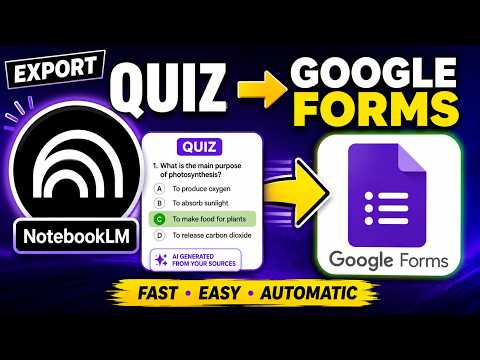
Export NotebookLM Studio quizzes to Google Forms in one click — powered by MyQuizGPT.
Export your NotebookLM quiz to Google Forms in one click. NotebookLM to Google Forms (by MyQuizGPT) is the fastest way to turn a NotebookLM Studio quiz into a real, shareable Google Form. Open a quiz in NotebookLM, click the Google Form button, and get a ready-to-send Google Form — questions, multiple-choice options, and the correct answer key included. No copy-pasting, no retyping, no rebuilding questions by hand. Built for teachers, tutors, professors, instructional designers, and trainers who use NotebookLM to generate quizzes from their sources and need to deliver them to students as graded assessments. ━━━━━━━━━━━━━━━━━━━━ WHY USE IT ━━━━━━━━━━━━━━━━━━━━ • One-click export — NotebookLM quiz to Google Forms in seconds. • Keeps your questions and all answer choices exactly as written. • Brings over the correct answers, so your Google Form is auto-graded as a quiz. • Saves hours of manual copy-pasting and reformatting every week. • Works right inside NotebookLM — the export button sits next to the canvas controls. • Your new Google Form lands in your own Google Drive, ready to share. ━━━━━━━━━━━━━━━━━━━━ HOW IT WORKS ━━━━━━━━━━━━━━━━━━━━ 1. Open a quiz in NotebookLM Studio (the App / quiz canvas). 2. Click the "Google Form" button added by the extension. 3. Sign in with Google and connect Google Forms to MyQuizGPT (one time). 4. Your Google Form is created in your Drive and opens in the editor — ready to send to students. That's it. The quiz title, every question, every multiple-choice option, and the answer key are transferred automatically. ━━━━━━━━━━━━━━━━━━━━ PERFECT FOR ━━━━━━━━━━━━━━━━━━━━ • Teachers turning NotebookLM quizzes into classroom assessments. • Professors and TAs building graded quizzes from lecture notes and readings. • Tutors and test-prep coaches creating practice quizzes for students. • Corporate trainers converting training material into knowledge checks. • Instructional designers and course creators producing formative assessments. • Anyone who wants to share a NotebookLM quiz as a Google Form. ━━━━━━━━━━━━━━━━━━━━ WHAT GETS EXPORTED ━━━━━━━━━━━━━━━━━━━━ • Quiz title • Each question (multiple-choice) • All answer options, in order • The correct answer marked as the answer key — so Google Forms grades it automatically ━━━━━━━━━━━━━━━━━━━━ KEY FEATURES ━━━━━━━━━━━━━━━━━━━━ • Export NotebookLM Studio quiz to Google Forms in one click • Automatic Google Forms answer key (auto-graded quiz) • Forms saved straight to your own Google Drive • Clean, accurate question and option transfer • Lightweight — runs only on NotebookLM, stays out of your way • Powered by MyQuizGPT, your AI quiz and assessment platform ━━━━━━━━━━━━━━━━━━━━ PRIVACY & PERMISSIONS ━━━━━━━━━━━━━━━━━━━━ This extension only runs on NotebookLM (notebooklm.google.com and its quiz canvas) and MyQuizGPT. When you click Export, your quiz content is sent to MyQuizGPT to build the Google Form in your connected Google account. We do not sell your data. Google Forms access is used solely to create the form you asked for, in your own Drive. ━━━━━━━━━━━━━━━━━━━━ GETTING STARTED ━━━━━━━━━━━━━━━━━━━━ Install the extension, open a quiz in NotebookLM, and click the Google Form button. You'll be guided to sign in with Google and connect Google Forms the first time. After that, every export is a single click. Turn your NotebookLM quizzes into Google Forms your students can take today.
4 out of 510 ratings
Details
- Version0.3.4
- UpdatedOctober 7, 2026
- Size87.42KiB
- LanguagesEnglish
- DeveloperConfidence Chigemezu OfoegbuWebsite
9 JACK MANILLA PEPPLE CHIEFTAINCY HOUSE BONNY, Rivers 503101 NGEmail
myquizgpt@gmail.comPhone
+234 810 090 3440 - TraderThis developer has identified itself as a trader per the definition from the European Union and committed to only offer products or services that comply with EU laws.
Privacy

NotebookLM Quiz to Google Form Exporter has disclosed the following information regarding the collection and usage of your data. More detailed information can be found in the developer's privacy policy.
NotebookLM Quiz to Google Form Exporter handles the following:
This developer declares that your data is
- Not being sold to third parties, outside of the approved use cases
- Not being used or transferred for purposes that are unrelated to the item's core functionality
- Not being used or transferred to determine creditworthiness or for lending purposes
Support
For help with questions, suggestions, or problems, visit the developer's support site