

NotebookLM MindMap Exporter
3.5(
13 ratings
)ExtensionTools10,000 users

Overview
One-click export from NotebookLM to Xmind for real mind map editing.
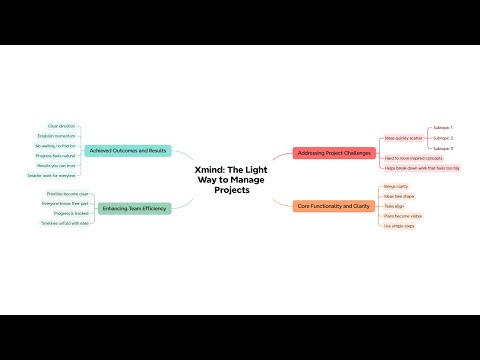
NotebookLM can generate a mind map preview from your documents, but the mind map isn’t editable, and getting the full content out can be tedious. This extension adds two buttons inside NotebookLM: Copy All automatically expands the mind map content and copies the complete Markdown for you, and Edit in Xmind opens a dedicated Markdown → Mind Map editor page with your content already loaded—so you can start editing right away.
3.5 out of 513 ratings
Details
- Version1.0.16
- UpdatedMay 8, 2026
- Offered byXMIND LIMITED
- Size41.9KiB
- LanguagesEnglish
- DeveloperXMIND LTD.
Email
cws-admin@xmind.appPhone
+852 5191 1509 - TraderThis developer has identified itself as a trader per the definition from the European Union and committed to only offer products or services that comply with EU laws.
- D-U-N-S669768764
Privacy

Manage extensions and learn how they're being used in your organization
The developer has disclosed that it will not collect or use your data. To learn more, see the developer’s privacy policy.
This developer declares that your data is
- Not being sold to third parties, outside of the approved use cases
- Not being used or transferred for purposes that are unrelated to the item's core functionality
- Not being used or transferred to determine creditworthiness or for lending purposes
Support
For help with questions, suggestions, or problems, please open this page on your desktop browser