

NotebookLM Markdown Exporter
4 ratings
)
Overview
Export NotebookLM chat conversations to Markdown format
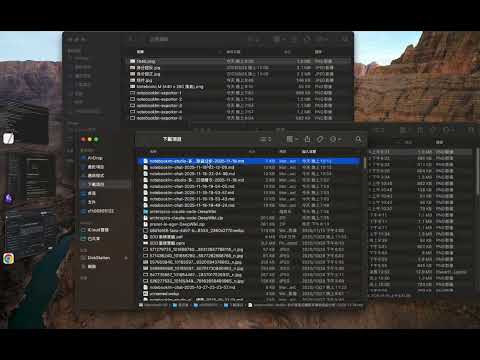
This Chrome extension exports NotebookLM conversations into clean, structured Markdown so you can move curated content into other GenAI tools or note-taking systems. Exports download as .md files and automatically include timestamps and project names—making it easy to import the conversation into ChatGPT, Claude, Obsidian, or another NotebookLM project. Each Markdown file includes YAML front matter, export time, ## User/## Assistant headings, and --- separators. Turndown.js converts NotebookLM’s HTML into polished Markdown, preserving headings, lists, code blocks, links, and quotes while stripping UI elements, suggested prompts, and other noise. As a result, the exported conversations plug directly into other GenAI models, note-taking apps, or additional NotebookLM projects without losing structure—perfect for further curation, training, or knowledge-base organization.
4 out of 54 ratings
Details
- Version1.0.5
- UpdatedOctober 6, 2026
- Offered byPhilipz
- Size69.06KiB
- LanguagesEnglish
- DeveloperCheng Chun-Yin
長安西路250號 大同區, 台北市 103 TWEmail
philipzheng@gmail.comPhone
+886 910 397 206 - TraderThis developer has identified itself as a trader per the definition from the European Union and committed to only offer products or services that comply with EU laws.
Privacy

This developer declares that your data is
- Not being sold to third parties, outside of the approved use cases
- Not being used or transferred for purposes that are unrelated to the item's core functionality
- Not being used or transferred to determine creditworthiness or for lending purposes
Support
For help with questions, suggestions, or problems, please open this page on your desktop browser