

NotebookLM Manager: Organize, Bulk Delete & Find Duplicates
Overview
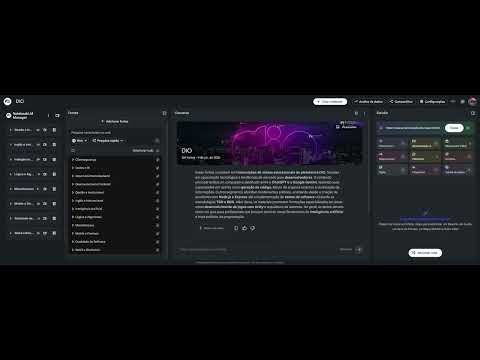
Organize NotebookLM sources in a smart sidebar: view all labels, bulk delete sources and find duplicates in one click.
Organize your NotebookLM sources in a smart sidebar: see every label (group) at a glance, bulk delete sources and find duplicates automatically. NotebookLM Manager adds features Google doesn't offer yet: - Sidebar showing all labels and sources in your notebook - Bulk delete: select and remove multiple sources at once, with confirmation to prevent mistakes - Automatic duplicate source detection - One-click navigation between groups - Auto-open sidebar per notebook - Quiet mode that hides NotebookLM's own notifications Great for anyone working with many sources: students, teachers and researchers. Privacy: no data collection, no server. Everything runs locally in your browser. Works on notebooklm.google.com and notebook.google.com.
0 out of 5No ratings
Details
- Version1.0.6
- UpdatedSeptember 28, 2026
- Offered bydavidson.f.silva
- Size30.83KiB
- Languages2 languages
- Developer
Email
davidson.f.silva@gmail.com - Non-traderThis developer has not identified itself as a trader. For consumers in the European Union, please note that consumer rights do not apply to contracts between you and this developer.
Privacy

This developer declares that your data is
- Not being sold to third parties, outside of the approved use cases
- Not being used or transferred for purposes that are unrelated to the item's core functionality
- Not being used or transferred to determine creditworthiness or for lending purposes
Support
For help with questions, suggestions, or problems, visit the developer's support site