

Notebook for ChatGPT — Highlight, Notes & PDF Export
2 ratings
)
Overview
Highlight passages, take notes, ask follow-ups, and export your ChatGPT conversations as PDF or Markdown.
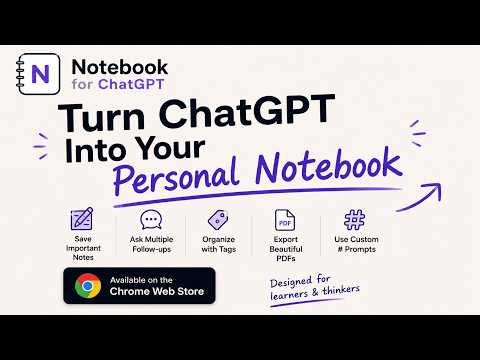
Your ChatGPT history is where good ideas go to be forgotten. You finish a long, useful conversation—full of explanations, code, references, and small breakthroughs. Two weeks later, you can't remember which chat had the answer you needed. **Notebook for ChatGPT** fixes that. It treats every conversation like a document worth keeping. What you can do: • Highlight passages: select any sentence in any reply and tap a color (yellow, orange, pink, blue). Highlights stick to the message even if you reload, switch chats, and come back days later. • Add notes: Your own annotations attached to highlighted text. Useful for capturing why an answer mattered, or what to do next. • Ask follow-ups on a specific passage: Select something unclear, type a quick clarifying question, and the prompt gets composed for you with the quoted excerpt and your question. • Clean exports: Save your entire conversation to a beautifully themed PDF or plain Markdown. Your highlights and notes are included automatically, making it easy to turn chats into organized documentation. • Save and reuse prompts — type # in the composer to insert any of your saved prompts. Build your own library, stop retyping "Rewrite this in plain English…" for the hundredth time. • Tag and bookmark: Organize chats by topic (research/work/project X), bookmark important messages, and find them again instantly from the side panel. • Edit AI responses: Trim long-winded explanations, remove irrelevant tangents, or redact sensitive info before you export. Keep only the signal, lose the noise. • Backup and restore — export everything you've saved as a single JSON file, import it back after a reinstall or on a new machine. • Side panel — every highlight and note from every conversation, searchable, in one place. Built for: • Researchers and analysts who run long fact-finding sessions • Students extracting study notes from explanations • Writers and consultants archiving briefing chats • Engineers turning debugging conversations into docs • Anyone who treats ChatGPT as a thinking partner, not a disposable search box Your privacy: Highlights, notes, prompts, tags, and bookmarks live in your browser. They never leave your machine. There's a Report bug button in the corner if anything's off; it goes straight to us.
5 out of 52 ratings
Details
- Version0.1.3
- UpdatedJune 30, 2026
- Offered byme4saurabh4u
- Size1023KiB
- LanguagesEnglish
- Developer
Email
me4saurabh4u@gmail.com - Non-traderThis developer has not identified itself as a trader. For consumers in the European Union, please note that consumer rights do not apply to contracts between you and this developer.
Privacy

Notebook for ChatGPT — Highlight, Notes & PDF Export has disclosed the following information regarding the collection and usage of your data. More detailed information can be found in the developer's privacy policy.
Notebook for ChatGPT — Highlight, Notes & PDF Export handles the following:
This developer declares that your data is
- Not being sold to third parties, outside of the approved use cases
- Not being used or transferred for purposes that are unrelated to the item's core functionality
- Not being used or transferred to determine creditworthiness or for lending purposes