


總覽
Live Assistant | Record, Transcribe & Summarize Google Meet, Zoom & Teams meetings
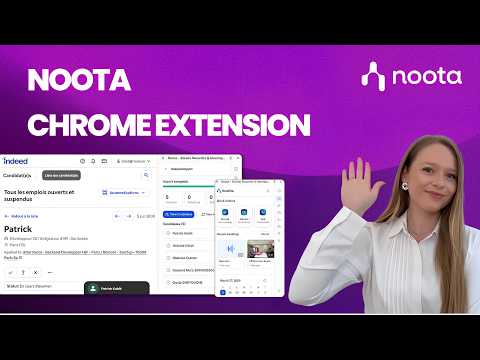
Noota Chrome Extension | Record, transcribe & summarize meetings and calls in one click, right from your browser. Stop switching between tools. Capture everything that matters and keep all your conversations in one place. ⚡ Key Features • Record meetings, your screen, or any browser tab without a bot. • Click to call from any website and start recording conversations instantly, no copy-paste. • Get AI-generated reports, transcripts, scorecards, and ready-to-send follow-up emails automatically. • Use Ask Noota, your AI chat, to ask anything about your conversations and instantly generate insights and structured resources. • Access all your recordings in one place, ready to review. • Get a clear view of your upcoming meetings with your integrated calendar and decide when to invite your bot to join. 💼 For recruitment teams: unlock additional features with Noota Talent module • Take your recruiting workflows further, directly from your browser. • Use Noota anywhere, directly inside your ATS and keep all your conversations synchronized without switching tabs. • Import candidates from Indeed or your internal job boards into Noota in one click. • Everything about your candidates, in seconds: experience, education, emails, calls… and act instantly in one click. • Get a clear view of all your open jobs, with candidates and interviews fully connected. • Evaluate candidates with AI-powered scoring, match them to your open roles, and identify the best fit instantly. • Generate clear insights to support faster and better hiring decisions. • Access all your interviews with AI reports, scorecards, clips, transcripts, and follow-up emails. With our Chrome extension, Noota is always one click away, right inside your workflow.
4.6 分 (滿分 5 分)33 個評分
詳細資料
隱私權

「Noota - Screen Recorder & Meeting Assistant」已揭露下列關於收集及使用資料的資訊。 如需更多詳細資訊,請參閱開發人員的《privacy policy》。
Noota - Screen Recorder & Meeting Assistant 會處理下列資料:
這位開發者就你的資料做出下列聲明:
- 除經核准的用途外,不會將你的資料販售給第三方
- 不會基於與商品核心功能無關的目的,使用或轉移資料
- 不會為了確認信用度或基於貸款目的,使用或轉移資料
支援
如有疑問或建議,請前往開發人員的支援網站